





































Your website is often a potential client’s first impression of your real estate business. It should quickly show who you are, where you work, and how you can help while making listings and contact information easy to find. A customizable template can simplify the process and eliminate the need to build a site from scratch.
I rounded up 10 of the best real estate website templates for different budgets, brands, and experience levels. From full agent websites to single-property pages and lead-generation landing pages, I’ll cover what each template includes, who it suits, and any additional platform, hosting, or internet data exchange (IDX) costs to consider.
| Template | Best for |
|---|---|
| White & dark grey template | A simple agent website |
| Pop of yellow template | Bold agent branding |
| Statement image template | Showing a property |
| Dark luxury template | High-end real estate brands |
| Property search template | Location-focused home searches |
| Property hub template | Agents managing multiple listings |
| Lead capture template | Qualifying leads |
| Conversion funnel template | Automated follow-up |
| Mix-and-match template | Flexible website customization |
| Book a showing template | Turning views into property tours |
- 1. White & dark grey template: Best for a simple agent website
- 2. Pop of yellow template: Best for bold agent branding
- 3. Statement image template: Best for showcasing a property
- 4. Dark, luxurious template: Best for high-end real estate brands
- 5. Property search template: Best for location-focused home searches
- 6. Property hub template: Best for agents managing multiple listings
- 7. Lead capture template: Best for qualifying leads
- 8. Conversion funnel template: Best for automated follow-up
- 9. Mix-and-match template: Best for flexible website customization
- 10. Book a showing template: Best for turning views into property tours
- How to choose the right estate website template
- Features every real estate agent website should include
- Understand the full cost before choosing a template
- How to customize a real estate website template
- Common real estate website template mistakes
- Frequently asked questions (FAQs)
- Your take
1. White & dark grey template: Best for a simple agent website




 Where to purchase: Canva
 Cost: Free
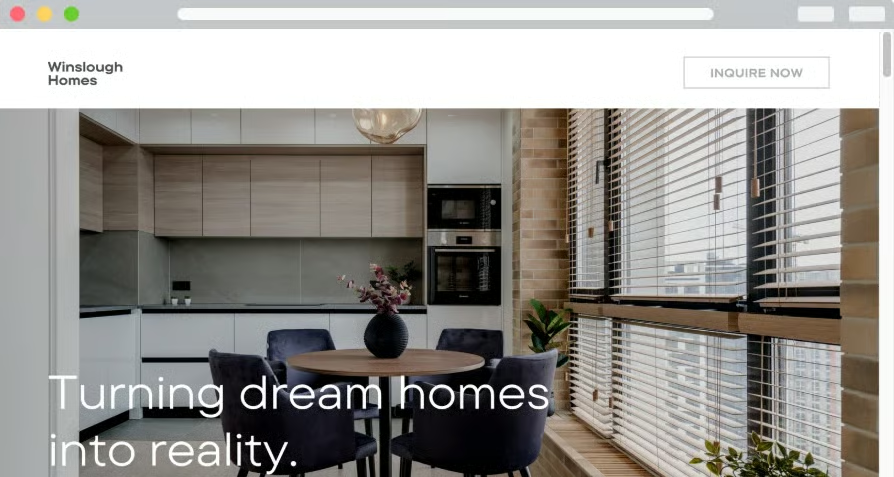
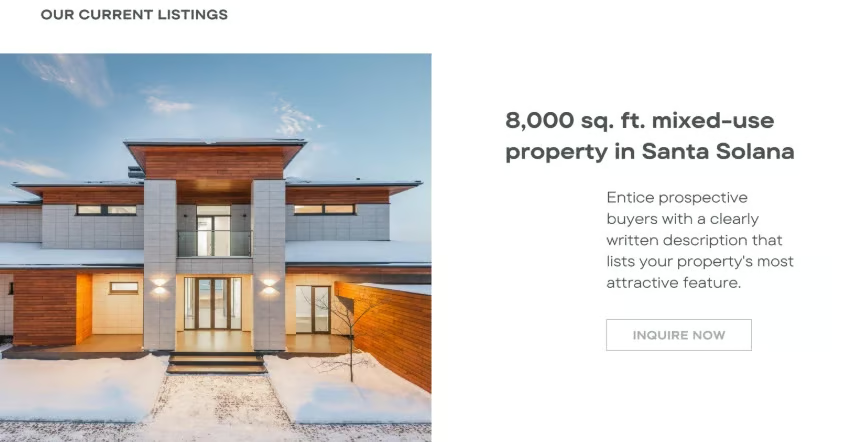
This Canva template is a great fit for agents who want a clean, professional website without spending weeks building one. The minimalist design keeps the focus on your services, property photos, and contact information, rather than distracting visitors with too many graphics or complicated menus. You can customize the text, colors, fonts, and images directly in Canva, so you don’t need coding or web design experience to make it feel like your own.
I especially like this template for newer agents who need a straightforward online presence or experienced agents who simply want a polished place to send potential clients. It works well as a personal website or landing page, but it does not offer advanced real estate features like live IDX search, saved properties, or automated listing alerts. If your goal is to introduce yourself, explain how you help buyers and sellers, and give visitors an easy way to contact you, it covers the essentials without overcomplicating the process.
2. Pop of yellow template: Best for bold agent branding



- Where to purchase: Wix
- Cost: Free
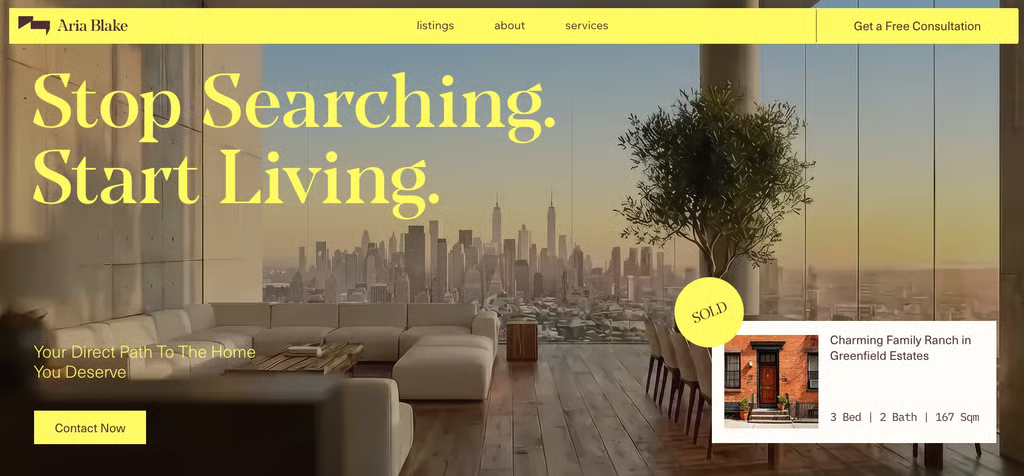
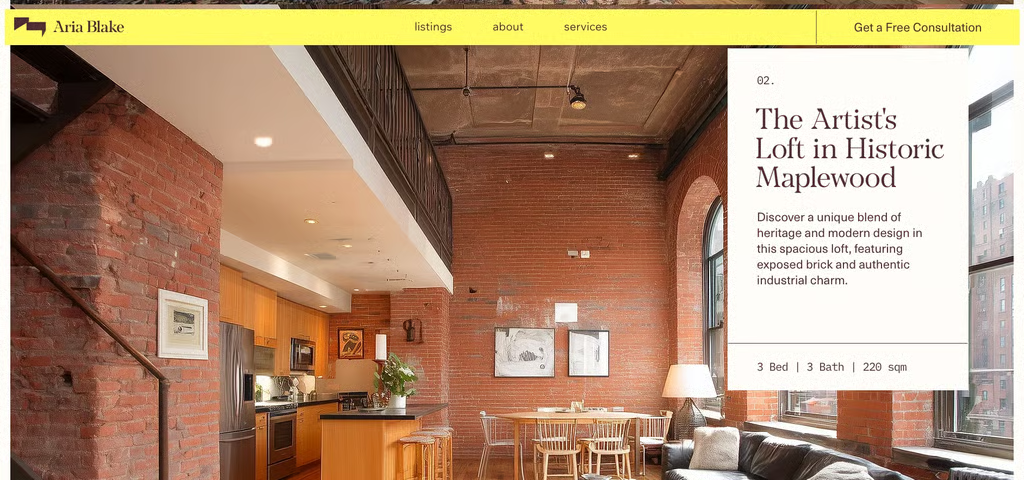
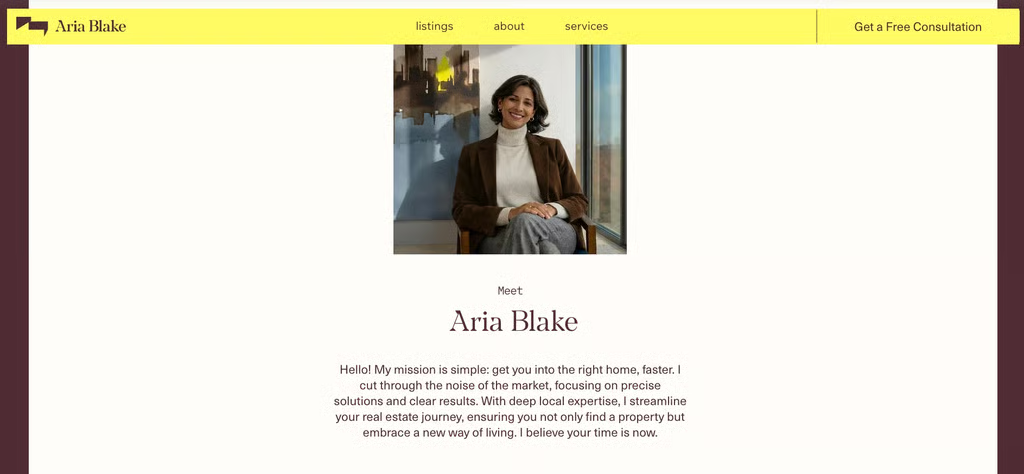
This Wix template immediately stands out because of its bright yellow accents. While many real estate websites rely on predictable combinations of navy, white, and gray, the yellow gives this design a more energetic and approachable personality. It can also help draw visitors’ attention to important buttons, property information, and calls to action. I especially like it for agents whose branding is upbeat, modern, and a little less traditional.
Beyond the color, the template includes space to showcase listings, explain your services, and capture interest from potential buyers and sellers. It also uses the Wix Service app, making it easier for visitors to explore your offerings. The colors, images, and text are customizable, so you can keep the yellow as your signature pop of color or adjust it to match your existing brand. Agents who need live multiple listing service (MLS) listings will still need to confirm which IDX integrations work with their Wix setup.
3. Statement image template: Best for showcasing a property



- Where to purchase: Squarespace
- Cost: Free; the platform itself requires a monthly fee
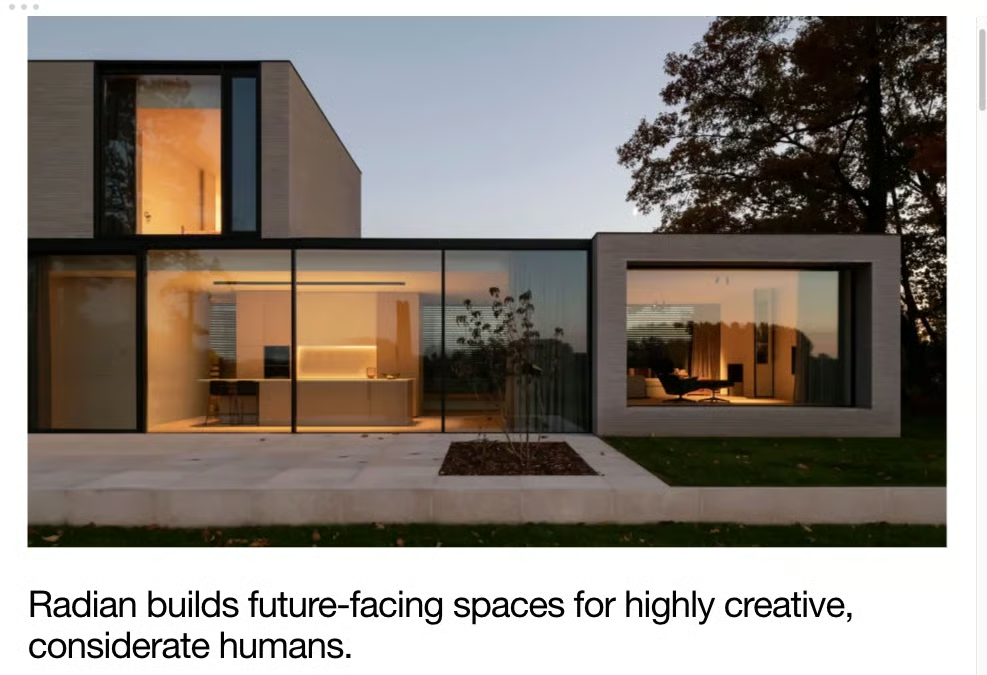
This Squarespace template makes one large image the star of the page, making it a strong choice for agents who want to lead with a standout listing, recent sale, or recognizable local property. The oversized visual immediately grabs attention and gives the website a polished, editorial feel. I like this approach because visitors don’t have to search for the main attraction; the property or message you want them to remember is right in front of them.
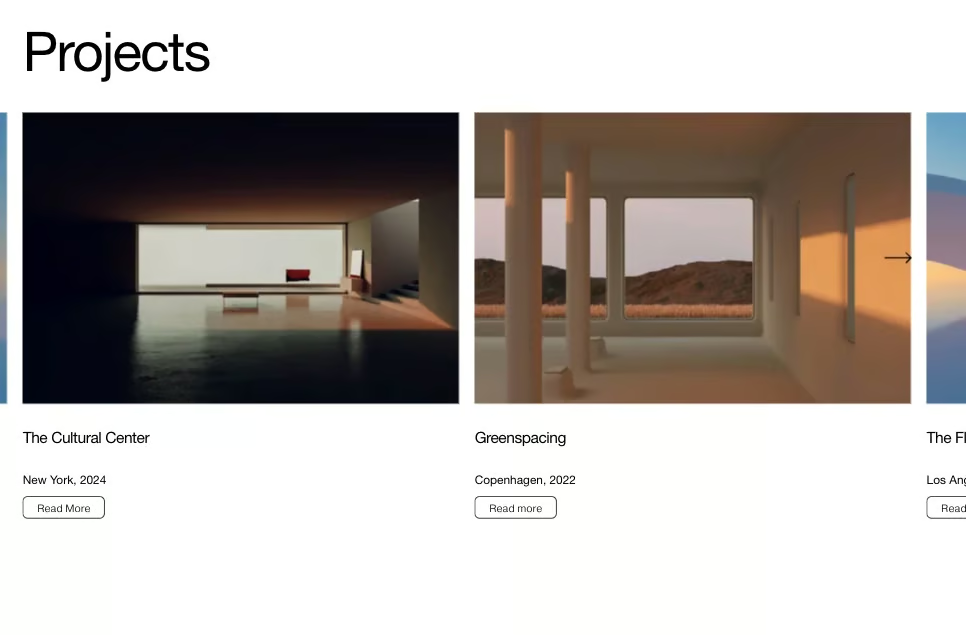
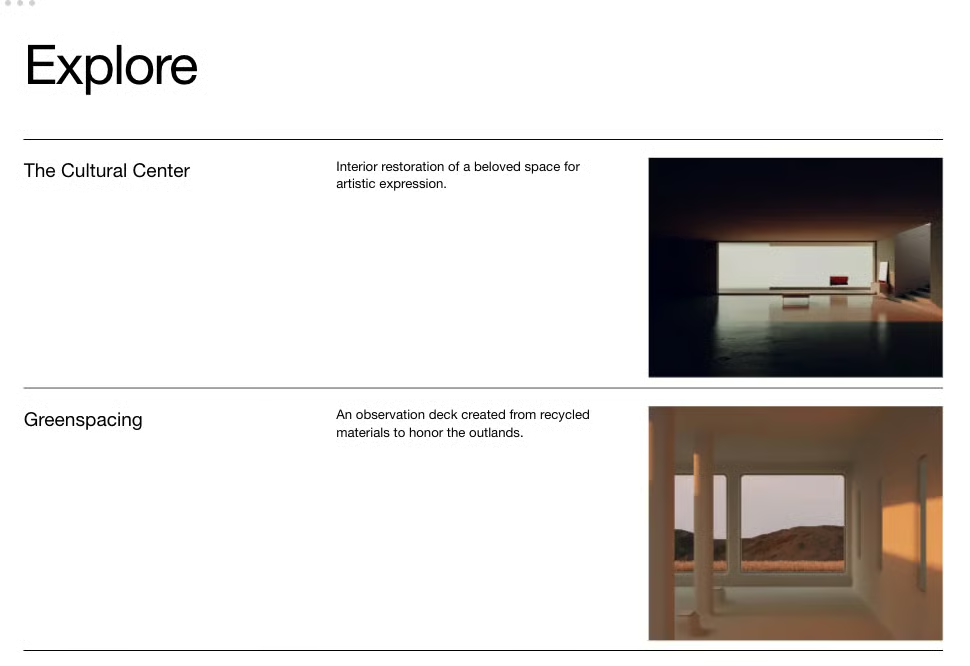
The rest of the layout can guide visitors toward the most important parts of your business. Customize the linked sections to feature your latest listings, buyer and seller services, team members, local market resources, blog, and contact page. It could also work well for marketing a new development, apartment community, or luxury property by highlighting amenities and nearby attractions. Agents who want live MLS listings will need to connect a compatible IDX solution, but this template provides an eye-catching foundation for showcasing your brand and best inventory.
4. Dark, luxurious template: Best for high-end real estate brands




- Where to purchase: Webflow
- Cost: $99, Webflow hosting purchased separately
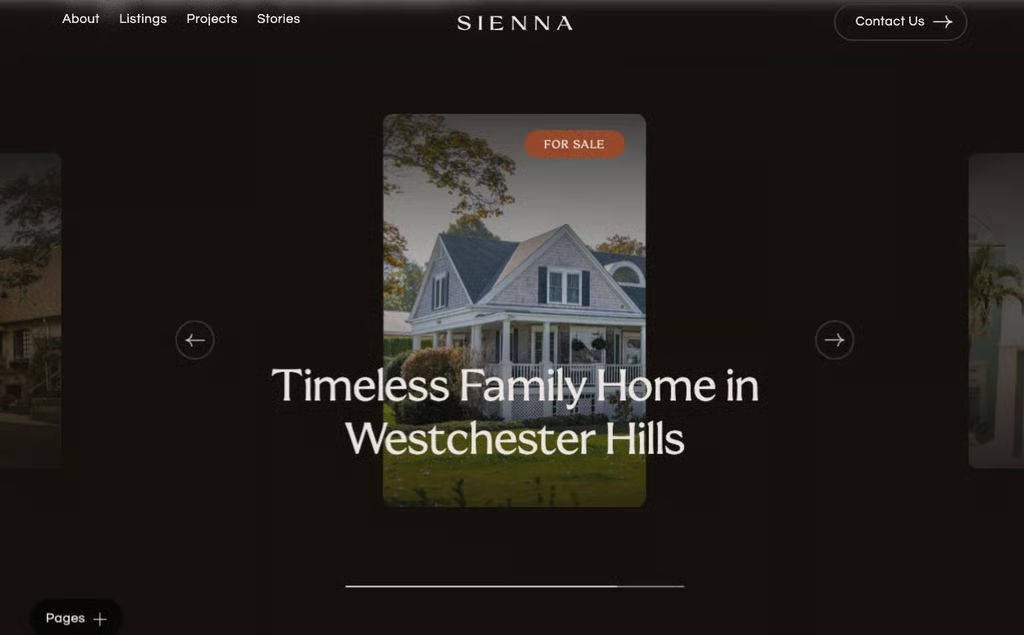
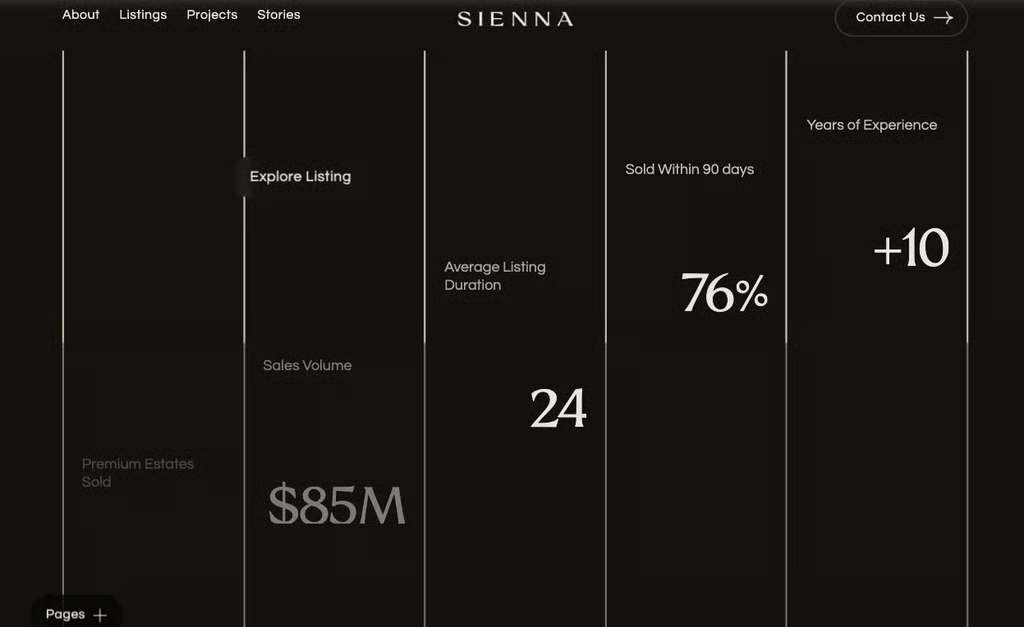
The dark, luxurious template pairs a moody color palette and smooth animations to create an upscale, cinematic experience. It’s designed for real estate professionals, boutique agencies, home builders, and construction firms showcasing luxury listings, custom builds, or new developments.
The template includes two homepage options, listing and individual property pages, agent profiles, projects, case studies, and two contact-page designs. Its flexible content management system (CMS) collections and reusable sections make it easier to add properties, introduce team members, and update projects without rebuilding the website each time. It’s also responsive, SEO-optimized, fully customizable without coding, and includes a free Figma design file upon request. Invest in strong photography, because a website this visual makes a blurry listing photo impossible to hide.
5. Property search template: Best for location-focused home searches




- Where to purchase: Themeforest
- Cost: $79; hosting and IDX subscription are separate expenses
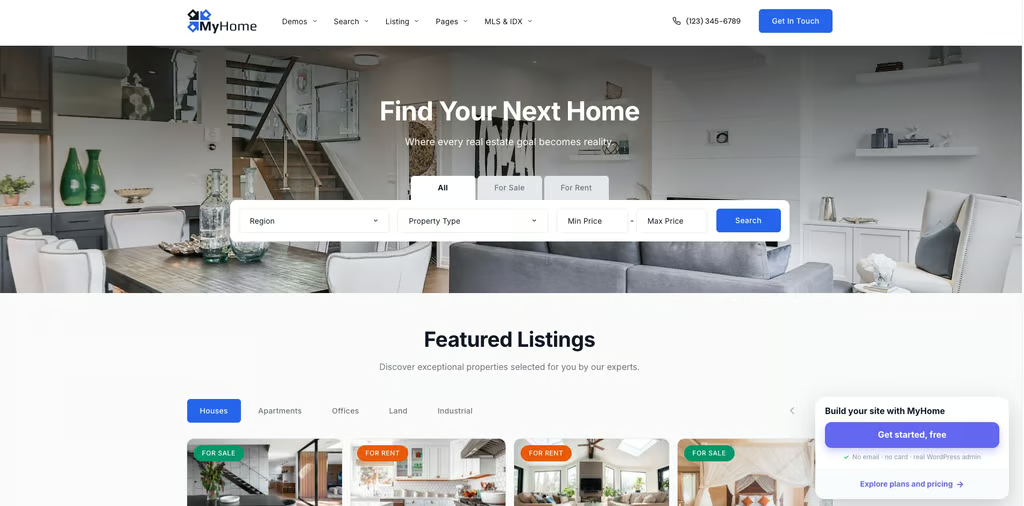
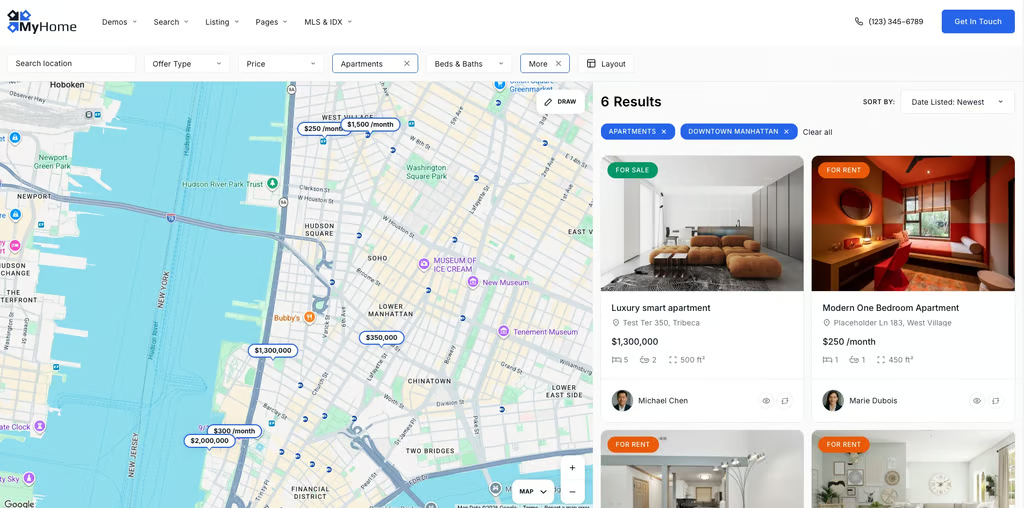
This Themeforest template puts an interactive property map at the center of the search experience, making it a great fit for agents serving several neighborhoods, towns, or vacation markets. Buyers can explore listings visually and narrow the results by location, price, property type, bedrooms, bathrooms, or search radius. I like this setup because many buyers care just as much about where a home is located as what it looks like. Letting them move around the map feels more natural than asking them to scroll through page after page of listings.
Built with the MyHome WordPress theme, the template supports Google Maps and OpenStreetMap, map styling, quick property previews, smart search suggestions, and results that update without reloading the page. It also includes more than 90 real estate widgets, agent profiles, property comparisons, a mortgage calculator, and drag-and-drop customization through Elementor.
6. Property hub template: Best for agents managing multiple listings



- Where to purchase: Webflow
- Cost: $49; Webflow hosting purchased separately
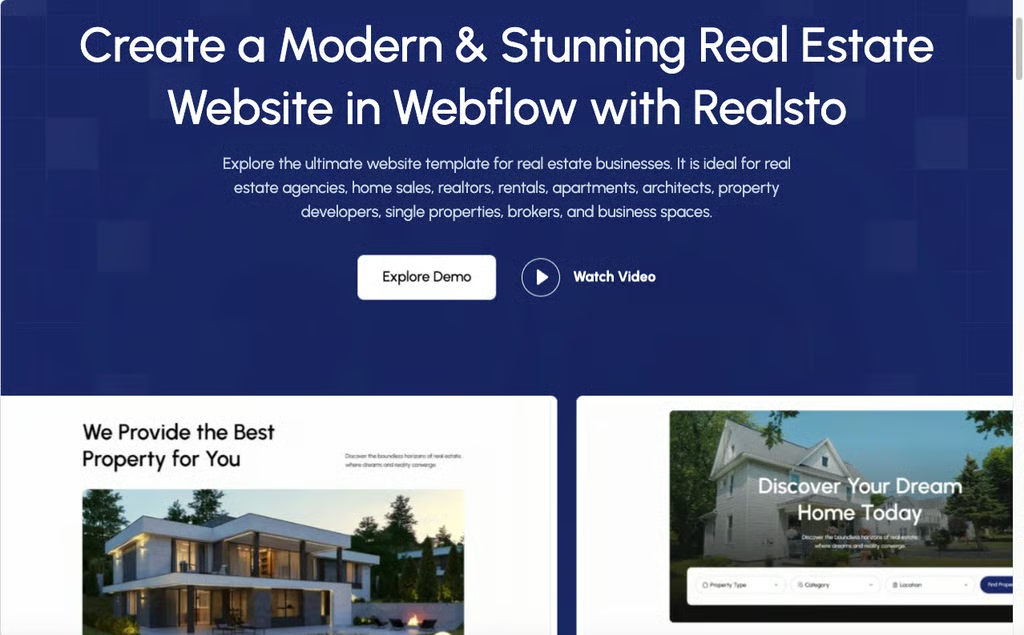
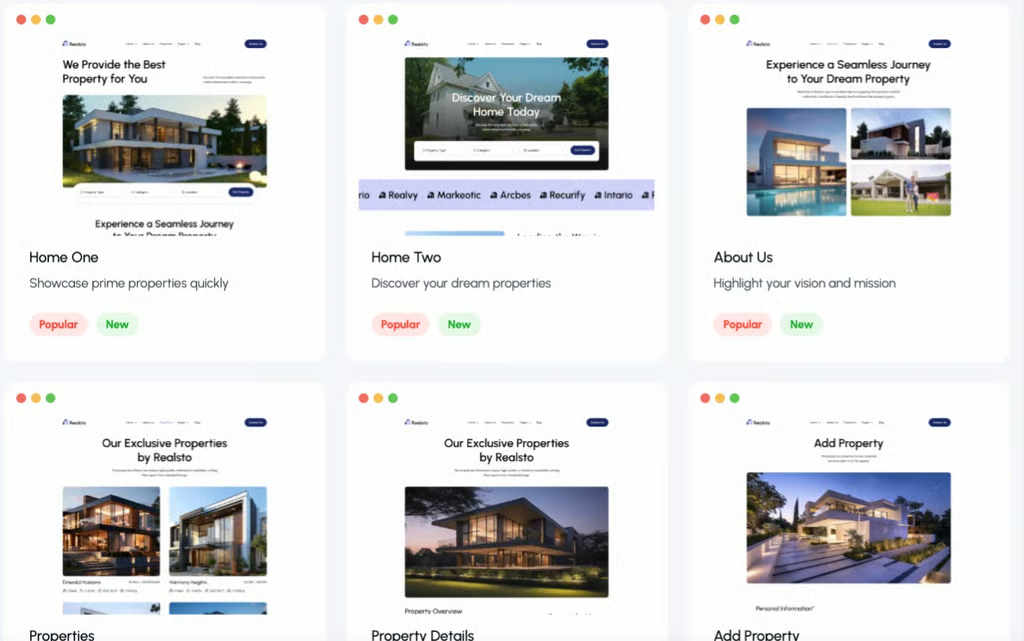
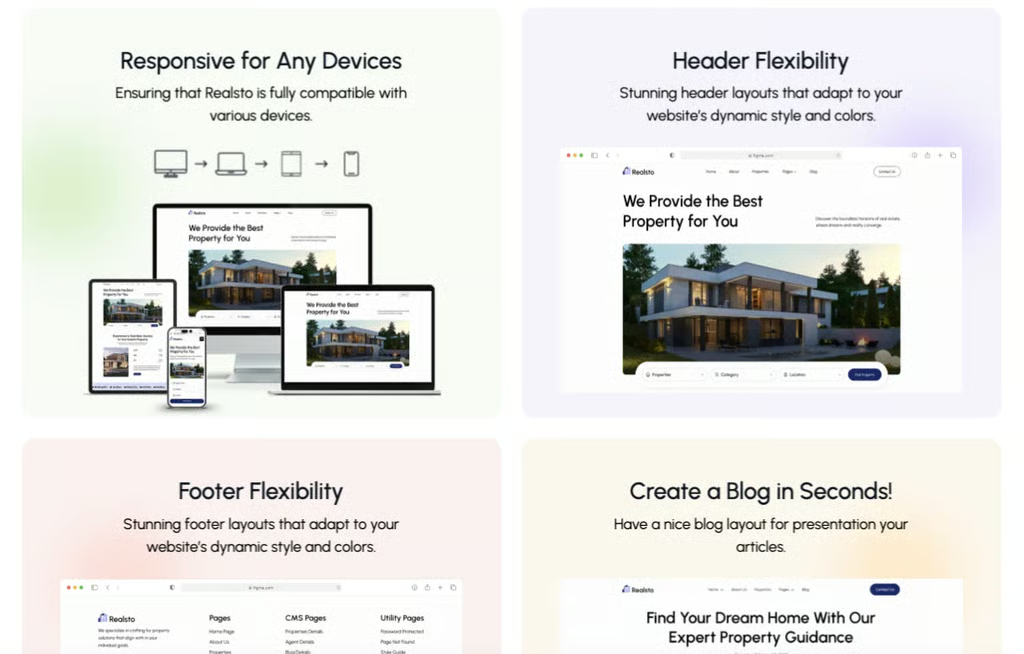
This Webflow template is designed for real estate professionals who need more than a digital business card. Its clean, modern layout gives visitors clear paths to browse properties, explore an interactive map, meet individual agents, and read client testimonials. I especially like it for brokerages, property managers, developers, and rental businesses that need to organize a larger amount of information without making the website feel cluttered.
It includes 22 pages, with two homepage options, property and property-detail pages, an agent directory, individual agent profiles, a blog, contact forms, and pages for adding properties or creating an account. Webflow CMS makes listings, agent profiles, and blog content easier to update, while smooth animations and responsive layouts keep the experience polished across devices.
7. Lead capture template: Best for qualifying leads



- Where to purchase: Etsy
- Cost: $26
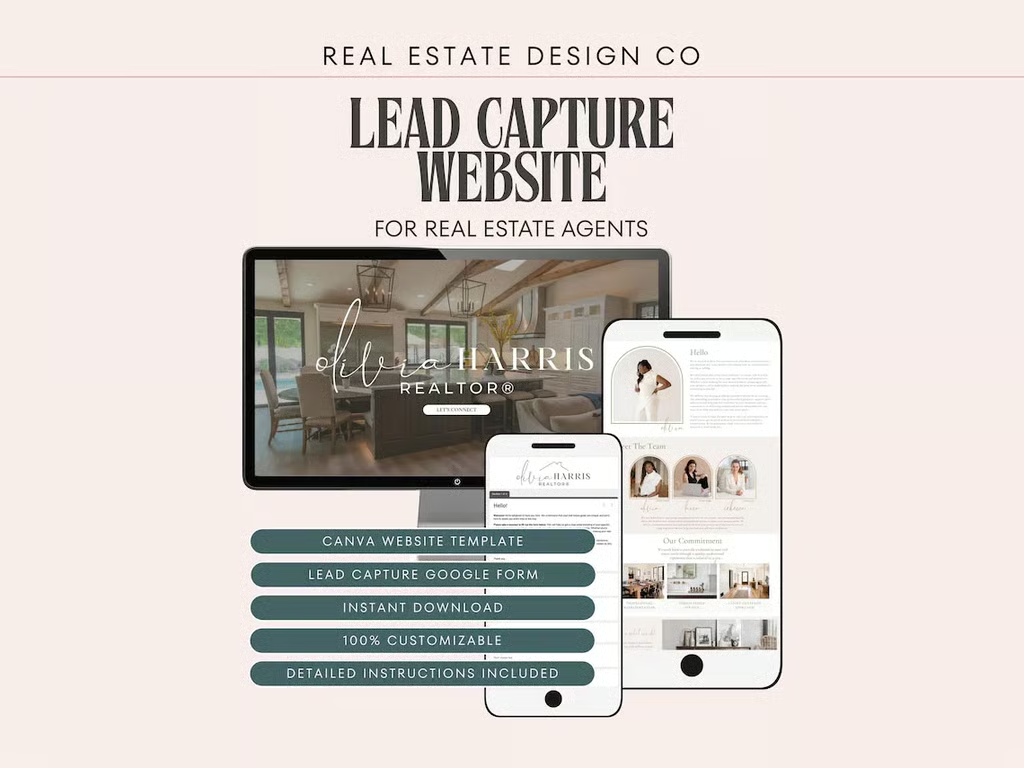
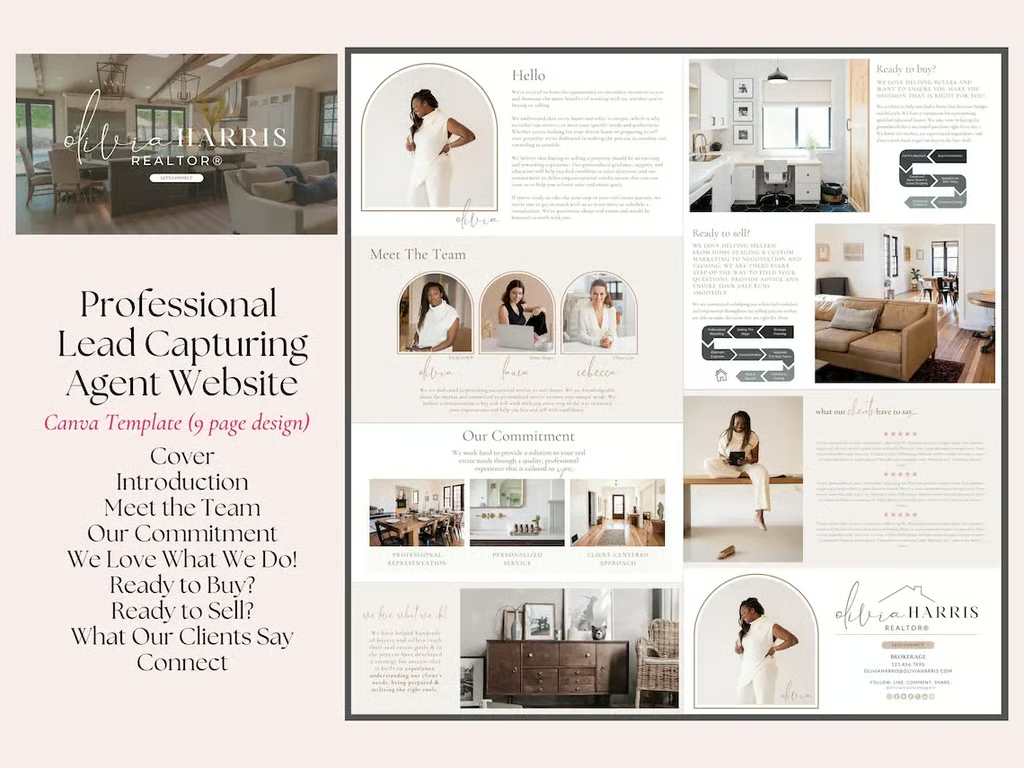
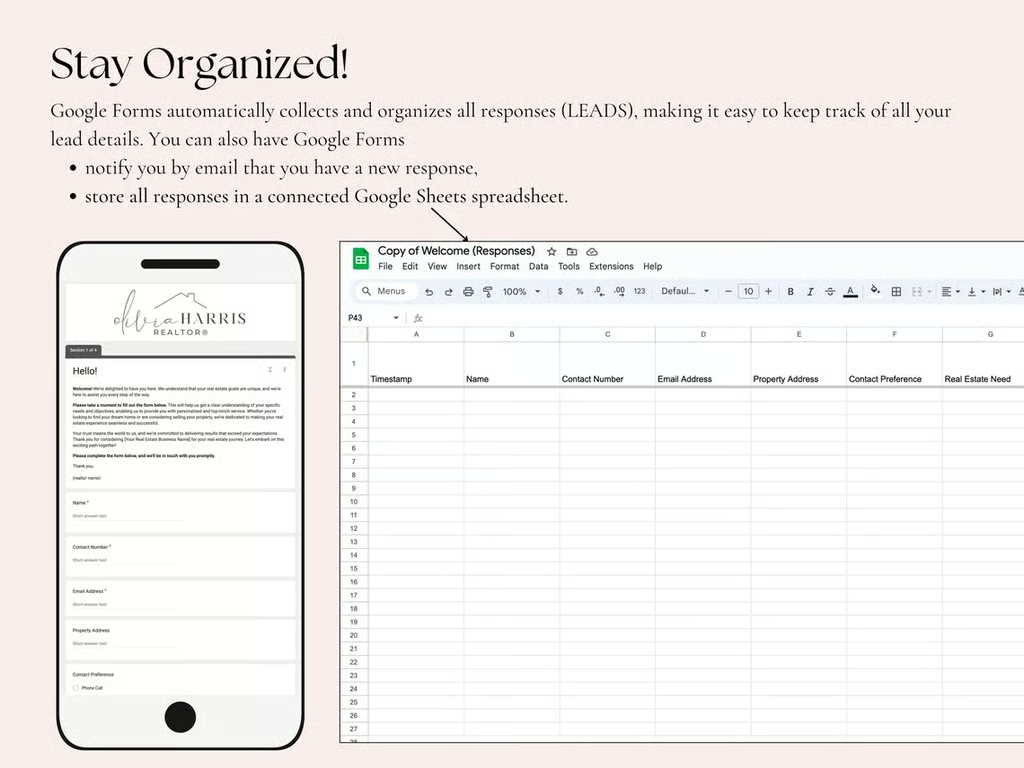
A beautiful website is nice, but it should also give visitors a reason to raise their hands. This template is built around lead capture, with clickable navigation and a prominent “Let’s Connect” button that sends potential clients to an included Google intake form. Agents can customize the questions to learn whether a visitor is buying or selling, their preferred location, timeline, budget, and preferred method of contact.
The purchase also includes an editable Canva header for the Google Form, making the intake process feel like part of your brand rather than a random questionnaire. I would use this as a focused landing page linked from social media, an email signature, a QR code, or an online advertisement. It does not include IDX search or the advanced features of a full real estate website, but it offers a simple way to collect more useful information than a basic name-and-email form.
8. Conversion funnel template: Best for automated follow-up




- Where to purchase: Etsy
- Cost: $148, GoHighLevel subscription purchased separately
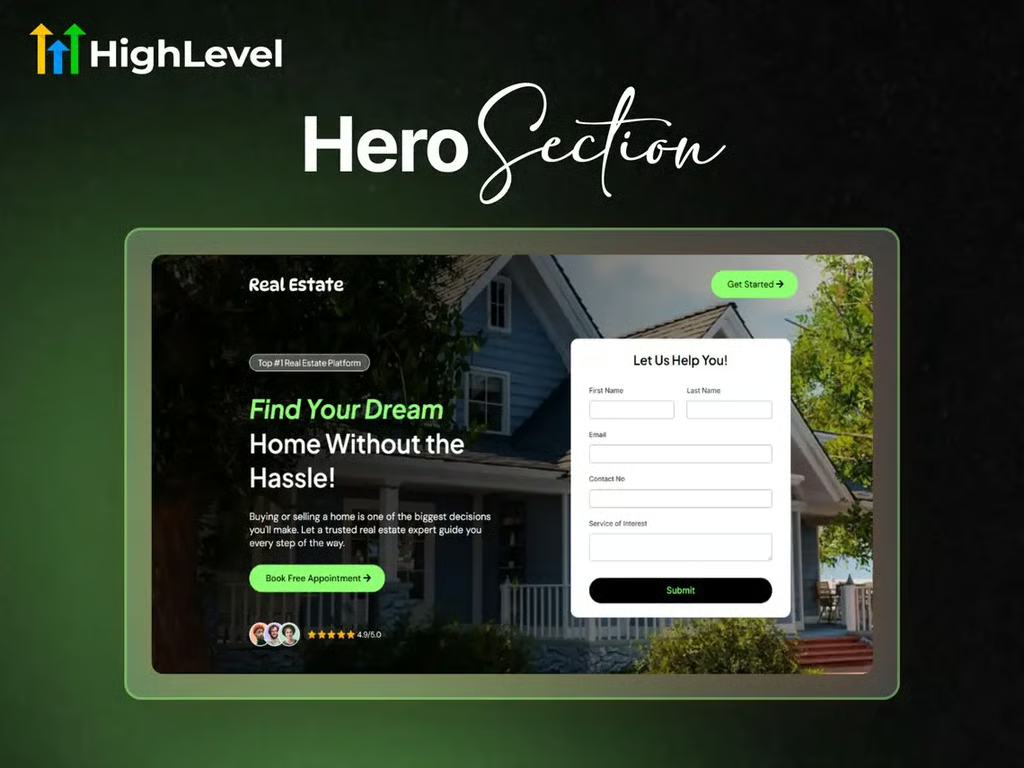
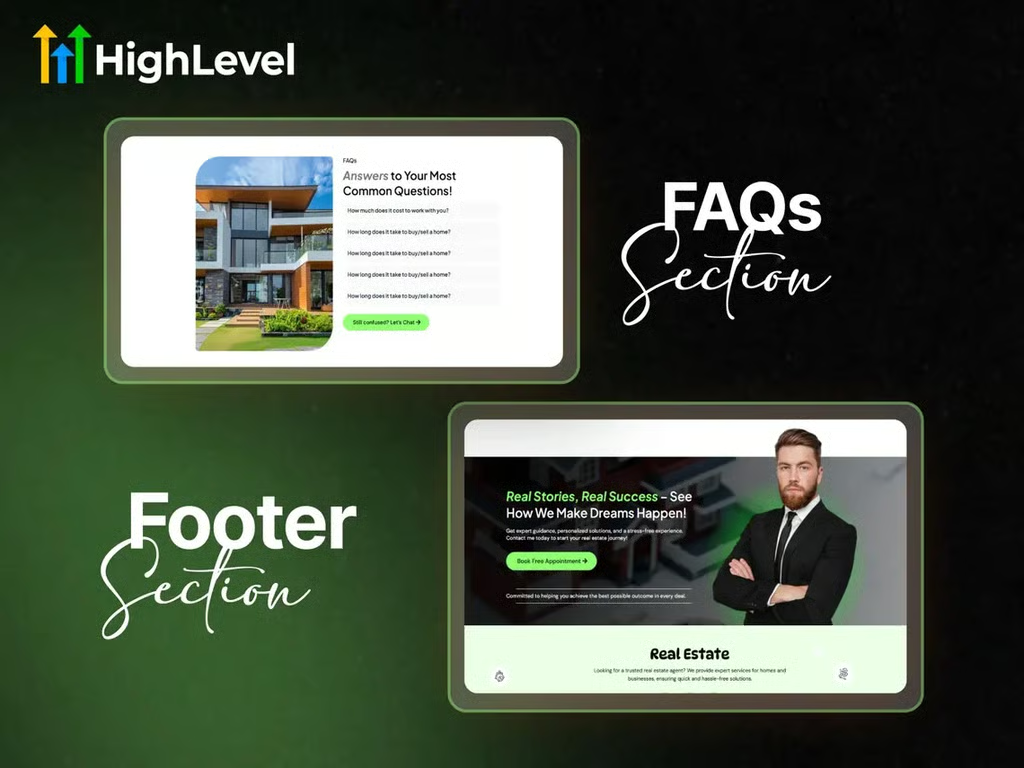
This template guides visitors through a specific journey rather than leaving them to wander a traditional website. The landing page introduces the agent and their services, highlights featured properties or buyer and seller offers, and repeatedly directs visitors toward a lead form or appointment calendar. After submitting their information, prospects reach a dedicated thank-you page that keeps them moving toward the next step. It’s essentially a digital open house where every room has a clear exit sign.
Because the template is built for GoHighLevel, captured leads can flow into its customer relationship management (CRM) for text alerts, email campaigns, and ongoing nurture. The funnel includes forms, booking pages, mobile-friendly layouts, and a one-click Snapshot Link for importing the design into a GoHighLevel account. Agents can also duplicate and customize it for different neighborhoods, listings, or lead sources.
9. Mix-and-match template: Best for flexible website customization

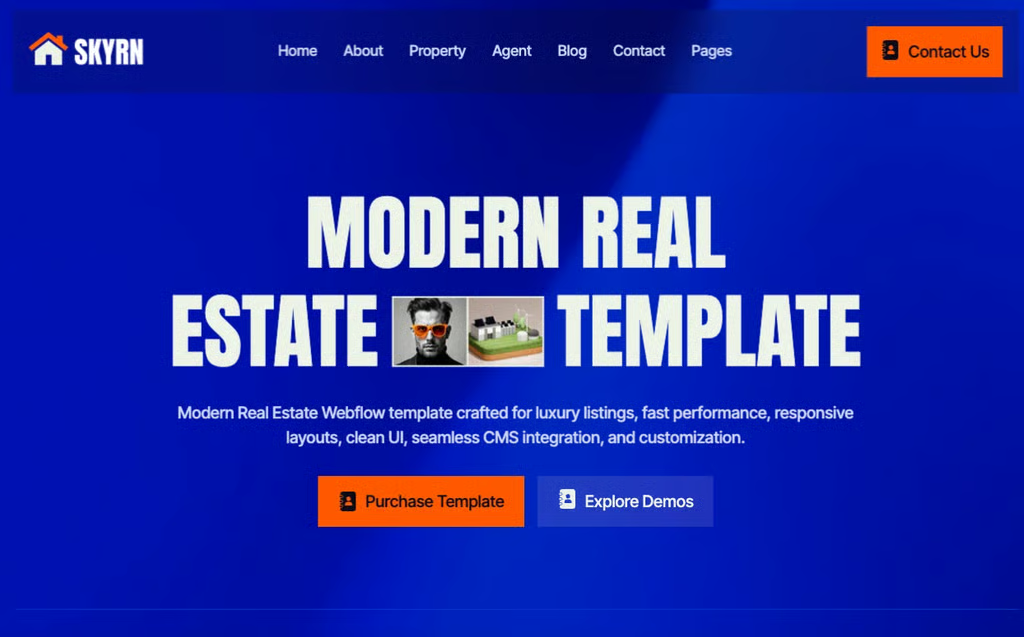

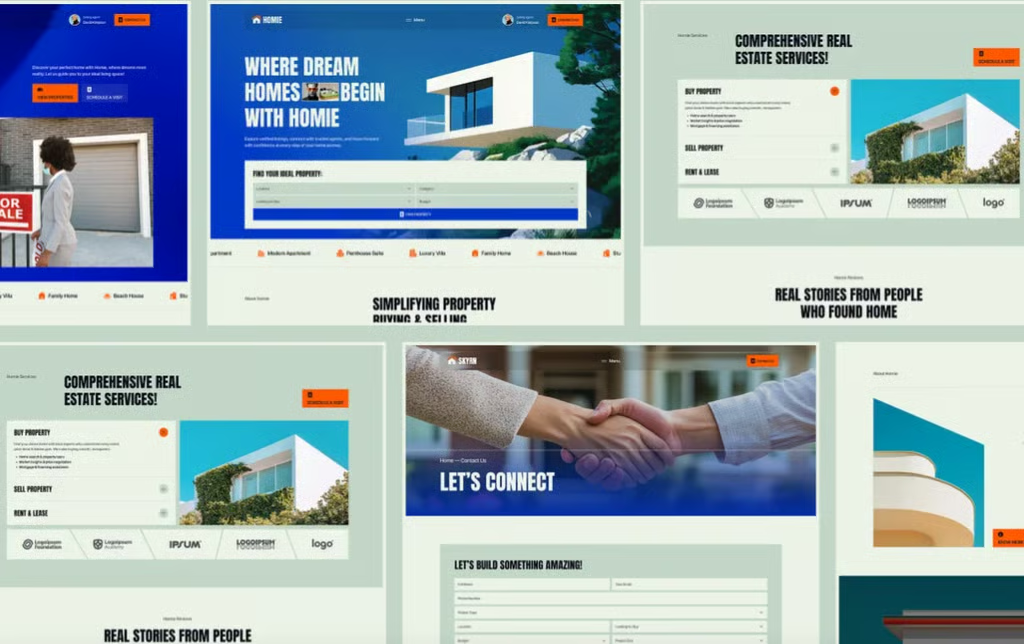

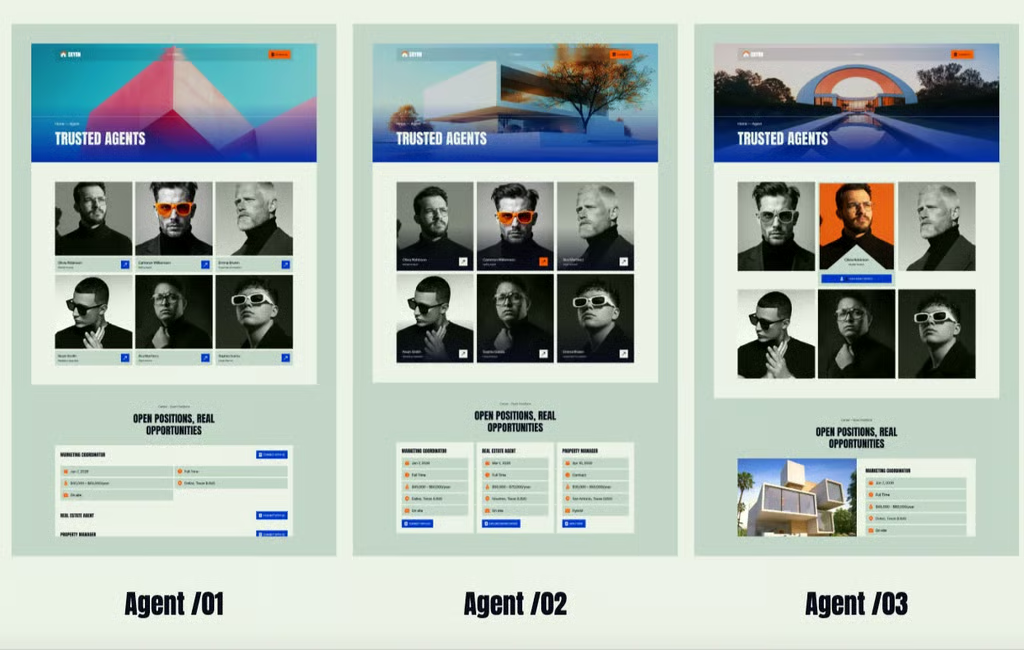
- Where to purchase: Webflow
- Cost: $129, Webflow hosting purchased separately
The mix-and-match template is a strong option for agents who like having choices but don’t want to design every page from scratch. It includes three different layouts for nearly every major area of the website, including the homepage, about section, property listings, agent directory, blog, and contact page. You can choose one complete design or combine your favorite sections to create something that feels more personal to your brand.
Altogether, the template provides more than 20 pages and 35 modular sections, plus CMS-powered property listings, advanced filtering layouts, agent profiles, lead capture forms, and a blog. It’s mobile-responsive, SEO-friendly, and includes smooth animations and background video support. A structured Figma file is also available upon request.
10. Book a showing template: Best for turning views into property tours



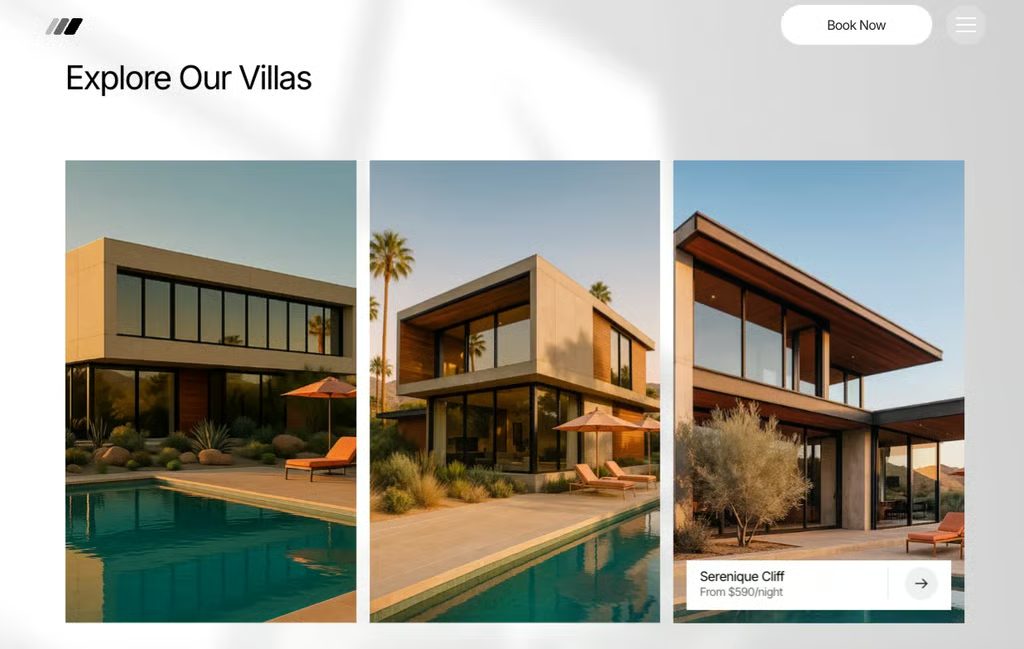

- Where to purchase: Webflow
- Cost: $59, Webflow hosting purchased separately
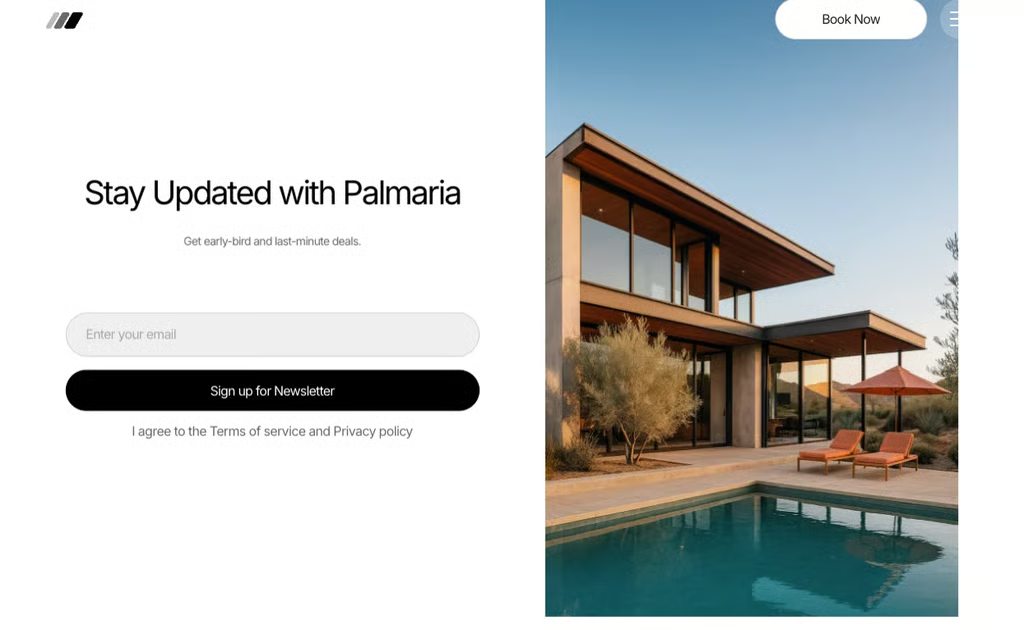
This template is built to move visitors from browsing properties to requesting an appointment. Originally designed for villa rentals and luxury accommodations, its booking inquiry form can easily be adapted for real estate showings. Buyers could select the property they want to tour, enter their preferred date and time, and provide their contact information. The agent would still need to confirm the request, but this removes the extra step of having visitors call or search the website for scheduling instructions.
The design also includes immersive property photography, dynamic filters, clear calls to action, and Webflow CMS tools for managing multiple properties. Its mobile-first layout is especially useful because buyers often discover listings while scrolling on their phones. I like that the template makes scheduling feel like a natural next step instead of an afterthought hidden on the contact page.
How to choose the right estate website template
The best real estate website templates do more than look attractive. They should support the way you generate business and make it easy for visitors to take their next step. Before choosing one, consider these factors:
- Your primary goal: Decide whether you need a complete agent website, an IDX website property search, a single-listing page, or a focused lead-generation funnel.
- Property search: If buyers need to search active MLS listings, confirm that the template supports an IDX integration. A property gallery is not necessarily an IDX search.
- Lead capture: Look for visible contact forms that offer requests, home valuation offers, consultation bookings, or downloadable resources.
- Customization: Check whether you can easily change the color, fonts, photographs, page layouts, and calls to action without coding.
- Mobile experience: Preview the design on a phone. Buyers frequently discover listings on mobile, so property photos, forms, and menus should be easy to use on a smaller screen.
- Room to grow: A basic landing page may work today, but consider whether you’ll eventually need a blog, agent directory, neighborhood pages, CRM integration, or more listings.
Features every real estate agent website should include
Your exact website will depend on your business, but more agents should include the following essentials:
- A professional headshot and short introduction
- Clear buyer and seller service pages
- Featured properties or live IDX search
- Testimonials or recent client success stories
- Local market or neighborhood information
- Contact forms and clickable phone and email links
- A direct call to action, such as “Schedule a Consultation” or “Request a Showing”
- Mobile-responsive pages
- Basic search engine optimization controls
- Privacy, accessibility, and brokerage disclosure information
You don’t need to cram every feature onto the homepage. Give websites a clear path based on what they need, whether that is searching for a home, learning about selling, meeting your team, or contacting you.
Understand the full cost before choosing a template
The listed template price may be only one part of the total cost. Canva and Wix templates can be used with free plans, but a professional domain and additional features may require an upgrade. Webflow and Squarespace templates need a paid hosting plan, while WordPress themes require separate hosting and a domain.
You may also need to budget for:
- Domain registration and renewal
- Website hosting
- IDX or MLS integration
- CRM and email-marketing tools
- Appointment-scheduling software
- Premium plugins or applications
- Professional photography and copywriting
- Developer assistance or ongoing maintenance
Check whether the price is a one-time purchase or a recurring subscription. Also confirm whether updates and technical support are included. A cheap template can become considerably more expensive once hosting, IDX, and third-party tools are added.
How to customize a real estate website template
- Replace every placeholder: Update the sample name, contact information, photographs, testimonials, links, and location references. One forgotten “Lorem ipsum” can undo an otherwise professional first impression.
- Apply your branding: Use a consistent color palette, typography, logo, and photography style. You don’t have to redesign the entire template, but it should not look exactly like the demo.
- Write your ideal client: Explain whom you serve, where you work, and what makes your approach useful. Specific copy will always be more memorable than “Your trusted real estate professional.”
- Add focused calls to action: Tell visitors exactly what to do next. Use buttons such as “Search Homes,” “Request a Showing,” “Get a Home Valuation,” or “Schedule a Consultation”.
- Connect your systems: Test every form, calendar, CRM integration, email notification, and iDX feed before publishing. A lead form is not helpful if the submissions disappear into an inbox you never check.
- Review the mobile version: Check the size of buttons, property photos, menus, and form fields on your phone. Complete a test inquiry yourself to experience the same process a potential client would.
- Confirm compliance: Include required brokerage information and review your site for fair housing, advertising, privacy, MLS, and accessibility considerations. Requirements can vary, so follow your brokerage’s policies and applicable local rules.
Common real estate website template mistakes
Even the best-looking real estate website template can fall short if it creates confusion, lacks essential features, or makes it difficult for potential clients to take the next step. Here are some common mistakes to watch out for:
Choosing design over function
A dramatic homepage may capture attention, but visitors still need to understand who you are, where you work, and what to do next. Choose a design that supports your business goal rather than distracts from it.
Assuming listings automatically come from the MLS
Many templates include sample property pages of manually managed listing collections. That does not mean they include IDX. If you want automatically updated MLS listings, verify compatibility and account for the separate service fee.
Hiding the contact information
Visitors shouldn’t have to investigate your website to find a phone number or form. Include contact options in the navigation, on property pages, and near the bottom of each important page.
Using too many calls to action
Asking visitors to search listings, download six guides, follow four social accounts, join a newsletter, and book a consultation can create decision overload. Give each page one primary goal and, when necessary, one secondary option.
Publishing without testing
Click every link and submit every form before launch. I would also ask someone unfamiliar with the website to find a listing and request a showing. If they get confused, potential clients probably will too.
Frequently asked questions (FAQs)
Can I create a real estate website using a template?
Yes. A template provides a prebuilt structure that you can customize with your branding, photographs, services, listings, and contact information. Options range from simple Canva landing pages to complete Webflow or WordPress websites with property databases and agent directories.
Can I change my template later?
Usually, but the process depends on the platform. Some builders allow you to redesign pages within the same site, while others require you to create a new project or rebuild portions of the website. Review the platform’s template-switching rules before committing.
Do real estate website templates include IDX?
Some support IDX integrations, but the service is rarely included automatically. Many templates use sample listings or a content management system that requires properties to be entered manually. Confirm IDX compatibility with the template developer and your chosen provider before purchasing.
Your take
A real estate website template can save you from building an entire site from a blank page, but the design is only the starting point. Choose one that supports your goals, customize it to reflect your personality and market, and make the next step obvious for every visitor.
Whether you want buyers to search listings, sellers to request a valuation, or prospects to book a consultation, your website should help turn attention into a conversation. The best template is ultimately the one you can maintain and use consistently to grow your business.
Related Articles