





































Artificial intelligence (AI) tools are quickly becoming the real estate assistant agents didn’t know they needed. They can help draft listing descriptions, create social posts, summarize market data, repurpose videos, improve listing visuals, automate follow-up, and take repetitive tasks off your plate so you can spend more time actually talking to clients.
That said, AI is not replacing the relationship side of real estate. Buying or selling a home is still personal, emotional, and high-stakes. The best AI tools simply help agents move faster, stay organized, and market smarter. To choose the top picks, I evaluated each platform based on pricing, features, advanced tools, ease of use, customer support feedback, and overall usefulness for real estate agents.
Here are my picks for the best AI-powered tools to help with your real estate business:
| AI-tool | Best for | Starting monthly price |
|---|---|---|
| Canva | AI-powered design | Free plan* |
| Manychat | Social media automation | Free plan* |
| Rechat | Real estate-specific AI assistance | Contact for pricing |
| CINC | AI lead generation | Contact for pricing |
| Lindy | AI workflow automation | $49.99 |
| Ylopo | AI advertising | Contact for pricing |
| Opus Clip | Short-form video repurposing | Free plan* |
| House Canary | Property valuations | $19* |
| ChatGPT | AI brainstorming | Contact for pricing |
| REimagineHome | AI virtual staging | $19 |
| *Billed annually | ||
Why you can trust The Close
Through my time working in real estate, I have experience evaluating the tools agents use to run and grow their businesses. My expertise, combined with ongoing research into emerging AI technologies, helps me understand how these platforms compare and perform in real-world scenarios.
The Close’s editorial standards are rooted in delivering the best answers to real estate professionals. Every recommendation is guided by my commitment to accuracy, clarity, authority, objectivity, and accessibility, ensuring my content is both trustworthy and unbiased.
Sophia Doyle
Staff-Writer The Close
- The Close’s top AI tool picks for real estate agents
- Canva: Best for AI-powered design
- Manychat: Best for social media automation
- Rechat: Best for real estate-specific AI assistance
- CINC: Best for AI lead generation
- Lindy: Best for AI workflow automation
- Ylopo: Best for AI-advertising
- OpusClip: Best for short-form video repurposing
- HouseCanary: Best for property valuations
- ChatGPT: Best for AI brainstorming
- REimagine Home: Best for AI virtual staging
- Methodology
- Frequently asked questions (FAQs)
- Bottom line
The Close’s top AI tool picks for real estate agents
| AI-tool | Integrations | Tool category | The Close score | Learn more |
|---|---|---|---|---|
| Canva |
| AI design and marketing content | 4.9 | |
| Manychat |
| AI chat automation and lead capture | 4.9 | |
| Rechat |
| AI operating system | 4.3 | |
| CINC |
| AI lead generation and CRM | 4.2 | |
| Lindy |
| AI workflow automation | 4.2 | |
| Ylopo |
| AI advertising, lead generation, and lead nurture | 4.2 | |
| Opus Clip |
| AI video repurposing | 4.1 | |
| House Canary |
| AI property valuation and market analysis | 3.8 | |
| ChatGPT |
| AI assistant | 3.7 | |
| REimagineHome |
| AI virtual staging and listing visuals | 3.5 |
Canva: Best for AI-powered design
Why I chose Canva
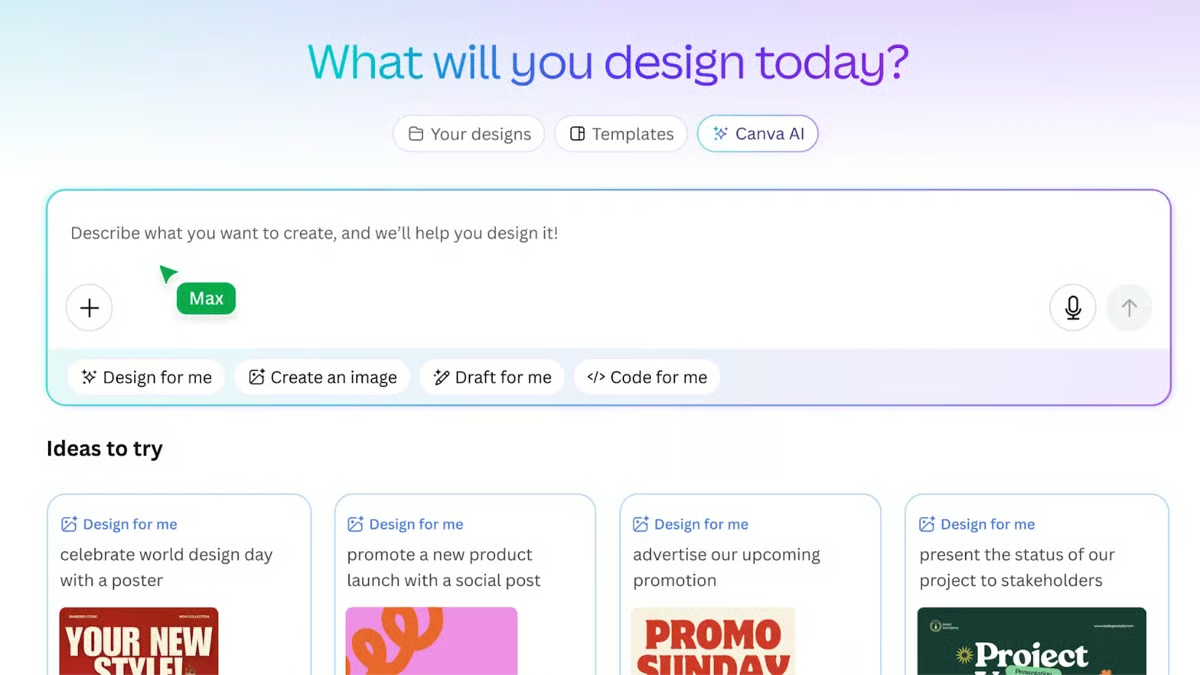
Marketing is one of those things agents know they need to do consistently, but it’s often the first to get pushed aside when schedules get busy. Canva helps solve that by making it quick and easy to create professional marketing materials without having to start from scratch. With over 260 million monthly active users, it’s become one of the most widely used platforms for branding and content creation. Canva’s AI-powered design tools streamline the process, allowing agents to generate multiple designs in seconds.
Canva’s AI tools go beyond just speeding things up. The platform helps agents stay consistent with branding, adapting designs across platforms to create polished visuals without advanced design skills. Canva’s versatility and ease of use are what earned it the top spot on this list.
Learn more in our in-depth Canva guide.
Canva pricing
- Free: $0
- Pro: $18 per month, billed annually
- Business: $25 per month, billed annually
- Enterprise: Contact for pricing
Additional features
- Canva AI Assistant: Allows agents to text or voice-direct the AI to generate a design, video idea, presentation, or text.
- Magic Design: When given a prompt or a rough idea, the AI generates a design layout or template.
Manychat: Best for social media automation
Why I chose Manychat
Social media is one of the most powerful lead sources for agents today, but responding quickly and consistently to every comment, message, and inquiry can feel impossible for busy agents. ManyChat helps bridge the gap by automatically responding to and engaging with prospects who interact with posts, ads, or direct messages. With over 1 million businesses using the platform worldwide, it’s become one of the most widely adopted tools for chat-based marketing and lead capture.
Manychat is a tool I have used, and it is extremely user-friendly. Without AI technical skills, agents can create automated messaging flows to qualify interest, ask key questions, and guide prospects toward booking showings, all within the social platform. For real estate professionals looking to grow their pipeline through social media, Manychat is the best AI option.
Manychat pricing
- Free: $0, Engage 25 contacts per month
- Essential: $14 per month
- Pro: $29 per month
- Business: $69 per month
- Advanced: $139 per month

Additional features
- AI Step: Tools agents can add to workflows that enable the AI to handle complex interactions, including gathering information, generating natural responses, and guiding conversations.
- Intention Recognition: Allows the AI to understand user intent without relying on keywords, improving response accuracy.
Rechat: Best for real estate-specific AI assistance
Why I chose Rechat
Many AI tools can help you write faster or brainstorm ideas, but this one goes further by connecting AI to the way real estate agents actually work. It supports marketing, contact management, listing promotion, deal workflows, and client follow-up, which makes it feel more like an AI-powered operating system than a simple writing assistant.
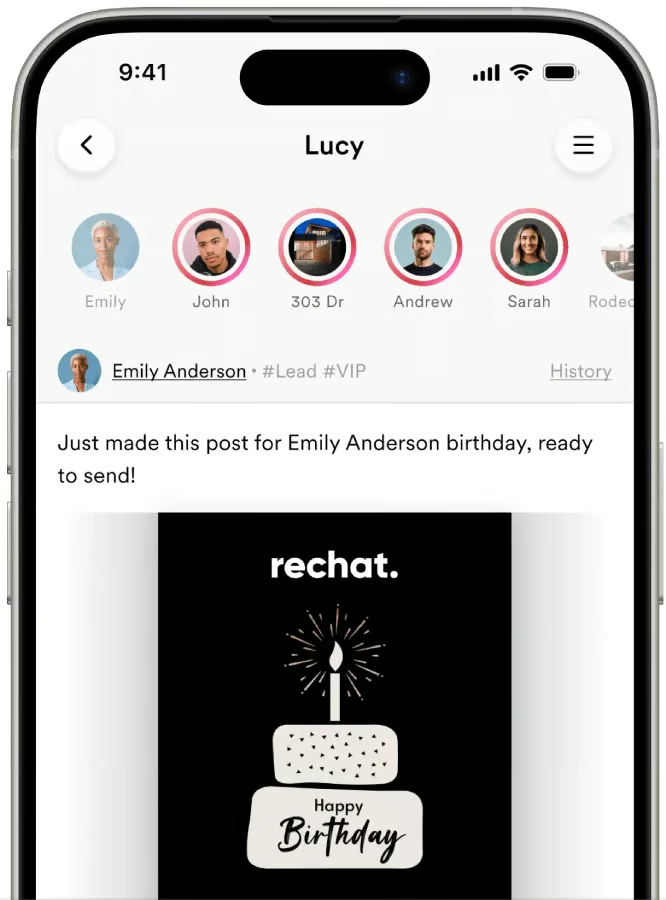
Rechat earned its place on this list because it is built specifically for real estate professionals. Its AI assistant, Lucy, can help agents draft emails, create marketing materials, manage listings, and support day-to-day workflows. It may be more platform than every solo agent needs, but for agents and teams who want real estate-specific AI support, Rechat offers a strong mix of automation, marketing tools, and industry-focused features.
Rechat pricing
- Contact for pricing
Additional features
- Lucy AI: Lucy is Rechat’s real estate-specific AI assistant, which can draft emails, create campaigns, answer questions, support listing promotion, and help with deal workflows.
- Marketing studio: Agents can create branded marketing materials, social posts, email campaigns, listing promotions, flyers, and other client-facing content in one platform.
CINC: Best for AI lead generation
Why I chose CINC
CINC is one of The Close’s picks for the best real estate lead-generation companies, with its AI capabilities reinforcing its position as a top AI lead-generation platform. The company reports generating over six million leads annually for its clients, highlighting its ability to deliver opportunities at scale. Instead of relying solely on agents to manually follow up with every inquiry, the site engages new leads quickly to keep conversations moving. These immediate responses help capture a lead’s attention while interest is still high.
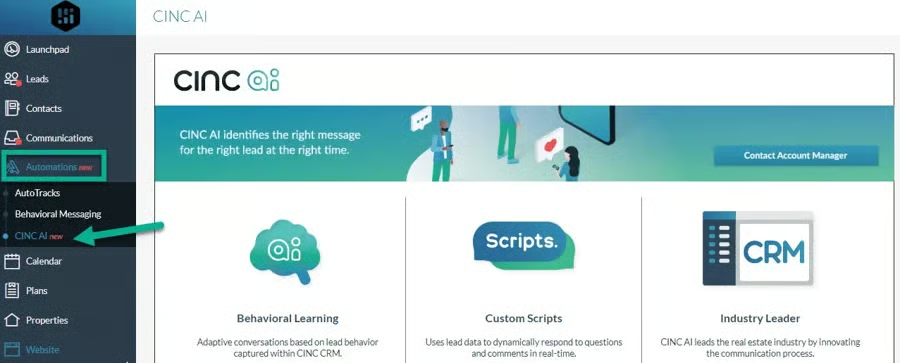
CINC’s AI tools don’t just focus on first touch. The platform continues to nurture prospects throughout the lead’s lifetime, with behavior-based follow-up. When leads revisit listings, click on properties, or go quiet, they are automatically re-engaged– helping agents stay consistent without added manual effort.
Learn more in our in-depth CINC review.
CINC pricing
- Contact for pricing
Additional features
- Alex: This AI assistant engages leads via text, using human-like scripts to drive leads toward scheduling appointments.
- Generative enhancements: A newly updated system that expands the AI assistant’s communication capabilities, allowing for more creative and adaptive responses.
Lindy: Best for AI workflow automation
Why I chose Lindy
Following up with clients is a must for agents, but it can quickly become overwhelming as pipelines grow. Lindy’s AI assistant is built to help manage that pressure, reducing task completion time by up to 70% by automating repetitive workflows. Its custom-built AI assistants can quickly respond to inquiries, sort incoming messages, book showings, and keep conversations moving.
Lindy’s AI assistant moves beyond canned replies, interpreting complex requests, adjusting actions based on context, and carrying out multi-step workflows. The tool is not just an automatic responder; it’s an operational support system.
Lindy pricing
- Plus: $49.99 per month
- Pro: $99.99 per month
- Max: $199.99 per month
- Enterprise: Contact for pricing

Additional features
- Agent Builder: Users can build their own AI agents or assistants using plain-language prompts.
- Autopilot: Agents can operate a virtual computer in the cloud, allowing them to log in to apps, click buttons, enter data, and perform tasks.
Ylopo: Best for AI-advertising
Why I chose Ylopo
A successful real estate business relies on a steady stream of new opportunities, and Ylopo stands out for its AI-powered advertising and lead conversion tools. Its platform uses AI-driven digital ads, retargeting, optimized landing experiences, and branded IDX websites to help agents attract buyer and seller leads. Instead of simply running ads and hoping they work, Ylopo helps identify interested prospects and move them into a more organized follow-up system.
The AI support does not stop once a lead enters the pipeline. Ylopo AI Text and Ylopo AI Voice can help engage, qualify, and nurture prospects through automated messaging and voice outreach, while behavioral follow-up keeps leads active over time. Agents can also use performance dashboards to see which campaigns are working and where to adjust. This is a tool I have personally used and highly recommend.
Learn more in our in-depth Ylopo review.
Ylopo pricing
- Contact for pricing
Additional features
- Ylopo AI Voice: Ylopo AI Voice can call new or re-engaged leads, ask qualifying questions, capture intent, and help identify which prospects may be ready for agent follow-up.
- Dynamic ads: Ylopo helps agents run dynamic digital ads designed to attract and retarget buyer and seller leads across platforms like Google, Facebook, and Instagram.
OpusClip: Best for short-form video repurposing
Why I chose OpusClip
Standing out in the real estate world increasingly depends on video, yet most agents don’t have the time or technical skills to edit content. OpusClip makes professional-looking video content far more accessible. Instead of spending time cutting footage and searching for the right segments, the platform uses AI to automatically identify compelling content and turn long-form videos into short, attention-grabbing clips. After only seven months, the platform boasted 5 million users. OpusClip has quickly gained traction as a go-to tool for simplifying video creation.
Not only does OpusClip identify meaningful content, but it can also add captions, adjust framing, and optimize clips for social posting. The platform allows agents to save time editing and creating new videos by repurposing property tours, market updates, or testimonials into multiple pieces of content.
OpusClip pricing
- Free: $0 for 60 credits per month
- Starter: $15 per month
- Pro: $29.00 per month, billed annually
- Business: Contact for pricing

Additional features
- ClipGenius: A clip generation program that analyzes long videos, identifies the most engaging highlights, and transforms them into short, postable clips.
- AI b-rolls and overlays: A tool that adds contextual stock footage or AI-generated visuals to videos, making them more dynamic.
HouseCanary: Best for property valuations
Why I chose HouseCanary
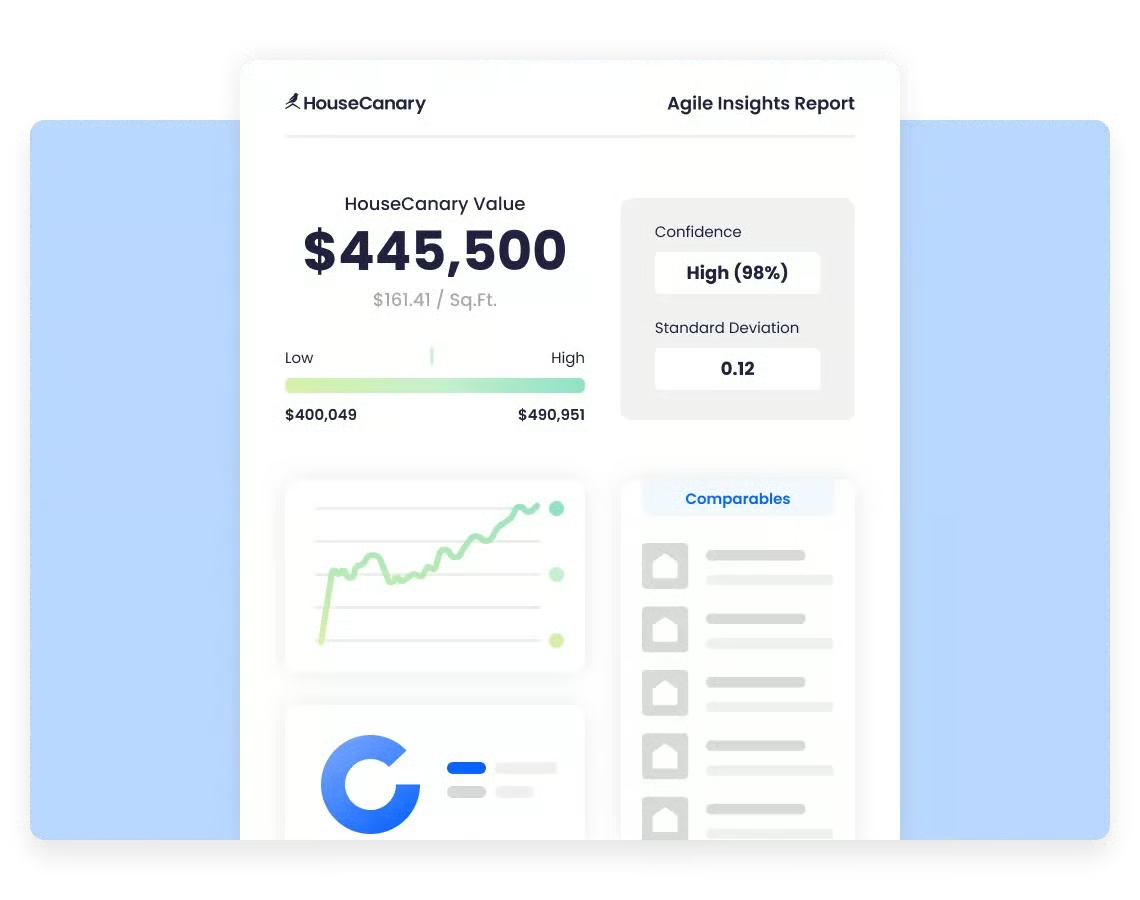
Getting the price right is where you win listings, and HouseCanary gives you the data to make pricing conversations easier. With insights on over 136 million US properties, the platform allows you to move beyond manual research. Instead, you can generate interactive valuation reports and neighborhood insights that clients actually understand.
Sellers don’t need just to trust your price; they can see the reasoning behind the numbers. This level of transparency builds trust in listing presentations. The valuations can also help buyers’ agents visualize which homes buyers are interested in, along with their corresponding values, and use this knowledge to submit offers confidently.
HouseCanary pricing
- Basic: $19 per month
- Pro: $79 per month
- Teams: $199 per month
- Enterprise: Contact for exact pricing
Additional features
- Automated valuation model (AVM): Delivers agents an AI-powered property valuation.
- Comparative market analysis (CMA): Using AI-driven analytics and market data, the tool generates a detailed CMA report.
ChatGPT: Best for AI brainstorming
Why I chose ChatGPT
Staying creative in real estate can be surprisingly difficult, as agents are expected to constantly provide fresh content, new marketing angles, and engaging ways to stand out. Admittedly, it can be extremely daunting, which is why I personally often turn to ChatGPT. With over 800 million weekly active users worldwide, it’s become one of the most widely used AI tools. The AI platform serves as an on-demand brainstorming partner.
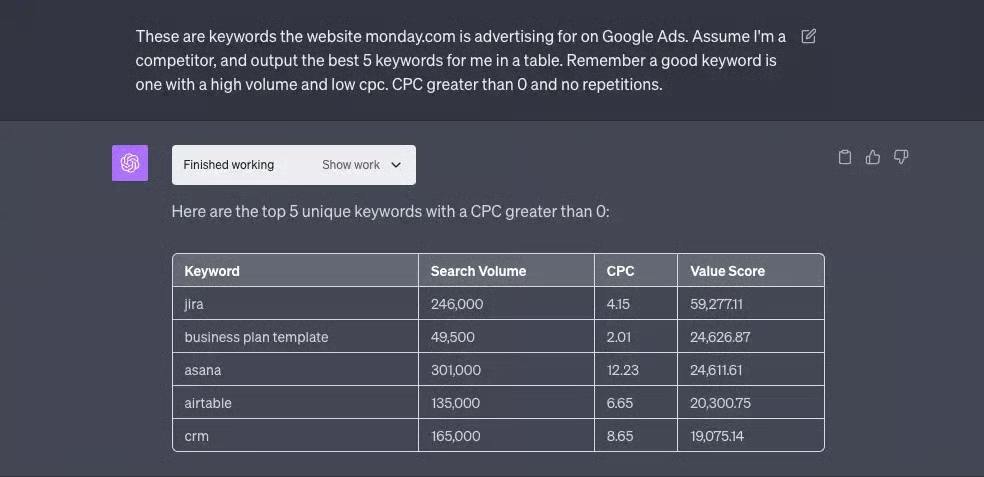
When it comes to marketing, with a brief conversation about your business, the platform can help generate multiple ideas for social media content, video scripts, real estate mailers, or campaigns. I often use the platform to explain an in-depth topic to a client. ChatGPT helps me break down the topic into an easily digestible format I can use when speaking with my client.
Learn more in our in-depth ChatGPT guide.
ChatGPT pricing
- Free: $0, limited access to flagship model GPT-5.5
- Go: $8 per month
- Plus: $20 per month
- Pro: $100 per month
- Business: $20 per month per user, billed annually
- Enterprise: Contact for pricing
Additional features
- Custom GPTs: Users can create tailored versions of ChatGPT for specific tasks, industries, or workflows.
- Advanced data analysis: Built-in tool that allows ChatGPT to analyze data, build charts, and interpret files to summarize market trends, break down sales data, and track performance metrics.
REimagine Home: Best for AI virtual staging
Why I chose REimagine Home
You might not judge a book by its cover, but buyers definitely judge a listing by its photos. REimagineHome stands out for its virtual staging, allowing agents to transform empty or outdated spaces into modern, visually appealing interiors in as little as 30 to 90 seconds– all without needing technical skills. Buyers may lack a sense of how a space can look with furniture or updates, but with these AI tools, agents can present photos to help buyers emotionally connect with the property.
The platform goes beyond simply adding furniture; it enables room redesign, outdoor space enhancement, clutter removal, and surface refreshing. This flexibility allows the tools to work across a wide range of situations, including outdated properties, vacant listings, and mid-construction projects.
REimagine Home pricing
- Essential: $19 per month
- Pro: $36 per month
- Advanced: $59 per month
- Agency: $199 per month

Additional features
- Empty Your Space: An AI decluttering tool that allows agents to remove existing furniture and clutter from listing photos.
- Day to Dusk: The tool allows agents to adjust lighting and scene mood in images to enhance outdoor spaces.
Methodology
Detailed criteria included the following to determine the best AI real estate tools:
Pricing (20%)
- AI platforms and tools come at a wide range of costs. I evaluated the subscription costs against the benefits agents receive for their money.
General features (25%)
I evaluated each platform’s core features, including natural language understanding, content generation, lead-capture capabilities, mobile applications, and marketing assistance.
Additional features (20%)
I considered the advanced features the platforms offered, including chat assistants, listing features, analytics tracking, social media integrations, CRM integration, real estate-specific features, and website integration.
Customer support (10%)
Customer support for any tool for your business is crucial. As such, I identified how each company’s support works, how many hours they’re available, and how they offer support, whether by phone, email, or live chat.
Ease of use (5%)
I examined the platforms’ onboarding/setup help, the technical skills required to operate them, and the reported speed and responsiveness of the AI tools.
Customer rating (10%)
I reviewed customer reviews of the platforms and incorporated public feedback into the ranking.
Expert score (10%)
As an expert, I relied on my experience to award extra credit for standout features or additional considerations not covered in the categories above.
Read more about our methodology here.
Frequently asked questions (FAQs)
How much technical skill is required to use a real estate AI tool?
Most real estate AI tools are designed to be user-friendly and require minimal technical skills. They often have intuitive interfaces and provide step-by-step guides to help users get started. Additionally, many platforms offer comprehensive support, including tutorials, FAQs, and customer service.
Can real estate AI tools integrate with an existing CRM system?
Many AI tools are designed to integrate seamlessly with popular CRM systems. This integration enables real-time updates, displays interactions with prospective leads, and ensures all client information is current and accessible on a single platform.
Why should I use AI as a real estate agent?
AI can be an incredibly powerful tool for increasing efficiency and automating repetitive tasks. That said, adopting too many platforms at once can quickly become overwhelming. If you’re exploring these tools, start with one or two that solve your most immediate bottlenecks, then expand gradually as you build confidence and clear workflows around them.
Bottom line
Leveraging the best AI for real estate is not as daunting as it may initially seem. AI tools can automate routine tasks, provide data-driven insights, and enhance client interactions. They save you time and allow you to focus on higher-value activities, such as building personal client relationships and closing deals. This increased efficiency improves your productivity and enhances the overall client experience, ensuring you continue to fill your sales funnel.
Related Articles