





































The best floor plan software makes it easy to map out a space, customize the layout, and bring your design to life in 2D or 3D. It should be simple to learn and flexible enough for real projects. However, not all tools are built the same — some are ideal for creating quick marketing visuals, while others are better suited for renovation planning.
In this article, I reviewed the top options and narrowed them down to five standout platforms to help you find the one that best fits your workflow:
| Floor plan software | Best for | Starting monthly price |
|---|---|---|
| Floorplanner | Best for quick, polished floor plans for listings | Free (basic plan); subscription starts at $5 per month |
| Planner 5D | Best for beginner-friendly home and room design | Free (basic plan); subscription starts at $4.99 per month |
| SketchUp | Best for professional 3D modeling and design | $19.99 per month or $129 per year |
| RoomSketcher | Best for builders and renovation planning | Free (basic plan); subscription starts at $24 per month |
| Sweet Home 3D | Best for budget-conscious or offline users | Free |
Why you can trust The Close
At The Close, our recommendations are built for real estate professionals who need practical tools they can actually use in their business. As a Staff Writer for The Close and a real estate agent, I evaluated the software through both an editorial and agent-focused lens, looking at how each platform performs for real listing, marketing, and client presentation needs.
I’ve used floor plan software as part of preparing and marketing listings, so I know how much the right tool can improve the way buyers understand a property’s layout, flow, and potential. The Close maintains editorial independence, which means our product recommendations are not influenced by advertisers or vendors, and every tool is evaluated based on usability, features, performance, pricing, and real-world fit.
Sophia Doyle
Staff Writer-The Close
Why you should add a floor plan to your listing
Listing photos are essential, but they don’t always show how a home actually flows. A floor plan gives buyers a clearer sense of the layout, room placement, and how each space connects, helping them decide whether a property fits their needs before they schedule a showing. This is especially helpful for out-of-town buyers, investors, and buyers comparing multiple homes online.
As an agent, I’ve found that floor plans work especially well for luxury real estate or homes with unique layouts that are hard to visualize from photos alone. They help answer practical buyer questions, such as where the bedrooms are located, how open the main living space is, whether a home office setup is realistic, and how furniture might fit. A simple 2D or 3D floor plan can make your marketing more effective, reduce confusion, and give buyers more confidence as they decide whether to take the next step.
- The Close’s top picks for the best floor plan software
- Floorplanner: Best for quick, polished floor plans for listings
- Planner 5D: Best for beginner-friendly home and room design
- SketchUp: Best for professional 3D modeling and design
- RoomSketcher: Best for builders and renovation planning
- Sweet Home 3D: Best for budget-conscious or offline users
- Methodology
- Frequently asked questions (FAQs)
- Your take
The Close’s top picks for the best floor plan software
| Software | Key features | 2D or 3D capability | Mobile accessibility |
|---|---|---|---|
| Floorplanner |
| ✅ | ✅ |
| Planner 5D |
| ✅ | ✅ |
| SketchUp |
| ✅ | ✅ |
| RoomSketcher |
| ✅ | ✅ |
| Sweet Home 3D |
| ✅ | ✅ |
Floorplanner: Best for quick, polished floor plans for listings
 | |
|---|---|
Pros
| Cons
|
Floorplanner pricing
- Basic: Free (Includes full software access with 10-minute export cooldown; no monthly credits)
- Plus: $5 per month (Removes export cooldown and includes four credits per month for higher-quality outputs)
- Pro: $29 per month (Designed for professionals; includes 25 credits monthly, plus access to custom templates and exports)
- Floorplanner Credits: Starts at $7.90 for five credits (Credits are used for upgrades like HD/4K renders, 3D tours, and styleboards. Extra credits can be purchased separately.)
Why I chose Floorplanner
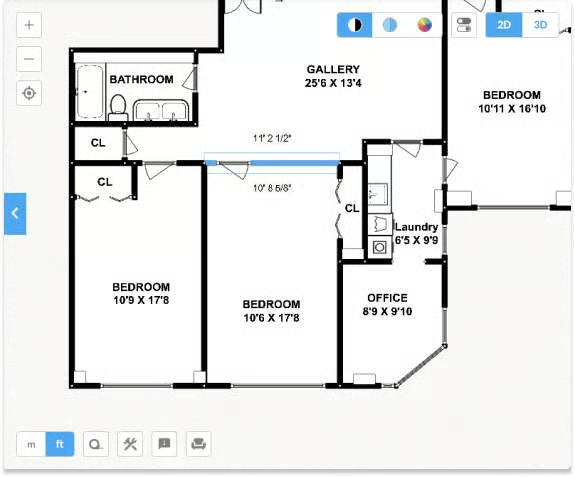
Floorplanner is a favorite among real estate pros who need sleek floor plans fast. It’s completely browser-based, so there’s no software to download — just open it up and start designing. The plans are easy to share or embed on property listings, making it an excellent tool for boosting visual appeal without adding extra work. Even with a free account, users can put together professional-looking layouts in just a few minutes.
Planner 5D: Best for beginner-friendly home and room design
 | |
|---|---|
Pros
| Cons
|
Planner 5D pricing
- Free: Includes unlimited projects, basic design tools, and multi-device access.
- Premium: $4.99 per month or $59.99 per year (Unlocks full catalog access, AI design tools, and texture editing)
- Professional: $49.99 per month or $399.99 per year (Adds 4K rendering, custom 3D model uploads, and branding tools)
- Enterprise: Custom pricing (White-label solutions and integrations for large businesses)
Why I chose Planner 5D
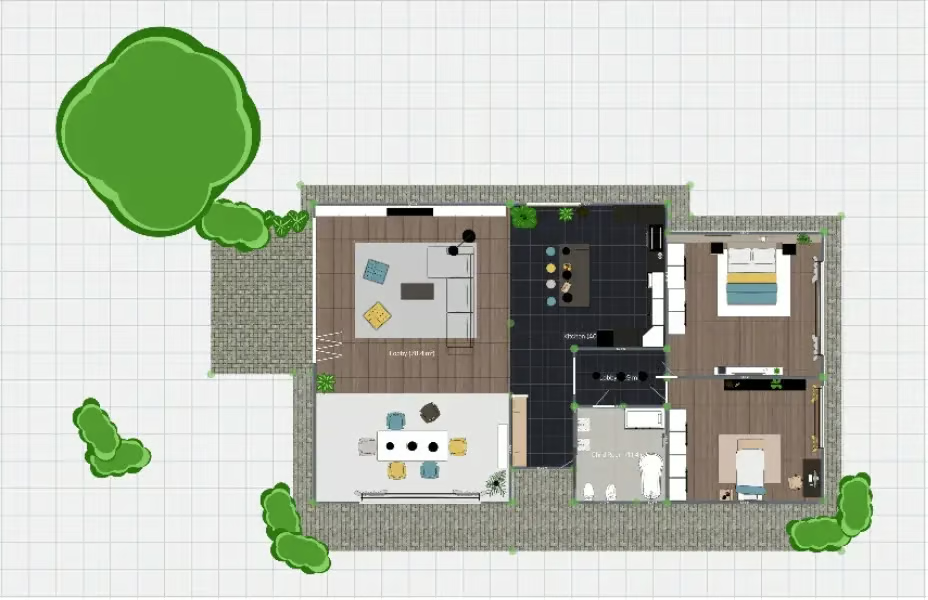
If you want to play interior designer without a steep learning curve, check out Planner 5D. It’s especially popular with users who want to map out room layouts or experiment with furniture arrangements without getting overwhelmed. The app works across devices, and there’s even an AR mode that helps people see designs come to life in their actual space. While some premium decor items require a paid upgrade, the free options are generous enough to create solid plans.
SketchUp: Best for professional 3D modeling and design
 | |
|---|---|
Pros
| Cons
|
SketchUp pricing
- Go: $19.99 per month or $129 per year (Web and iPad-only access with Cloud storage, 4M+ pre-built models, and basic AR tools)
- Pro: $99.99 per month or $399 per year (Adds the full desktop 3D modeler, 2D documentation tools, and advanced plugins
- Studio: $819 per year (Includes everything in Pro, plus point cloud modeling, Revit import, and photorealistic rendering.
- Teams: Custom pricing (Offers volume licensing, admin controls, SSO integration, and workflow support
Why I chose SketchUp
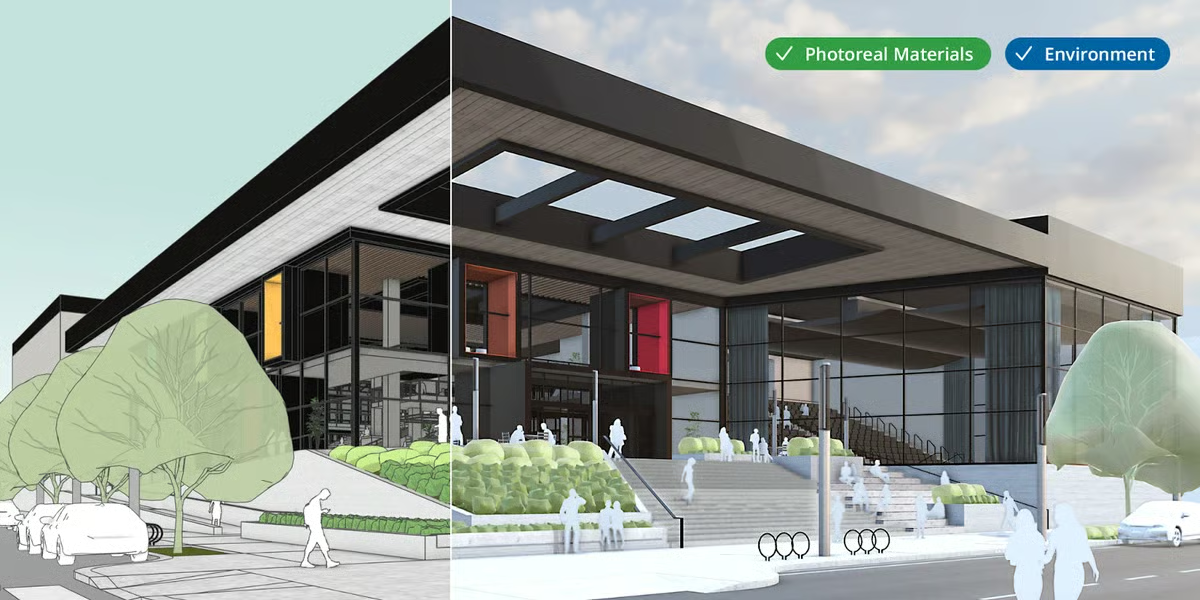
SketchUp is a go-to choice for users who need full control over detailed 3D modeling, from custom room shapes to architectural-level accuracy. It’s especially well-suited for real estate agents selling vacant land, marketing fixer-uppers or renovation projects, and commercial realtors who need to visualize build-outs or space planning. The platform’s 3D Warehouse gives access to thousands of pre-built models, making it easy to populate a space without designing every object from scratch. It’s also favored by professionals for creating both conceptual visuals and technical plans. Though it has a learning curve, the depth of customization is hard to match.
RoomSketcher: Best for builders and renovation planning
 | |
|---|---|
Pros
| Cons
|
RoomSketcher pricing
- Pay as you go: Free (Limited features; with access to order paid floor plans)
- Pro: $24 per month (Includes five monthly credits, full access to floor plan features, branding tools, and Live 3D)
- Team: $70 per month (Supports five users with 20 monthly credits, team collaboration tools, and a dedicated customer manager)
Why I chose RoomSketcher
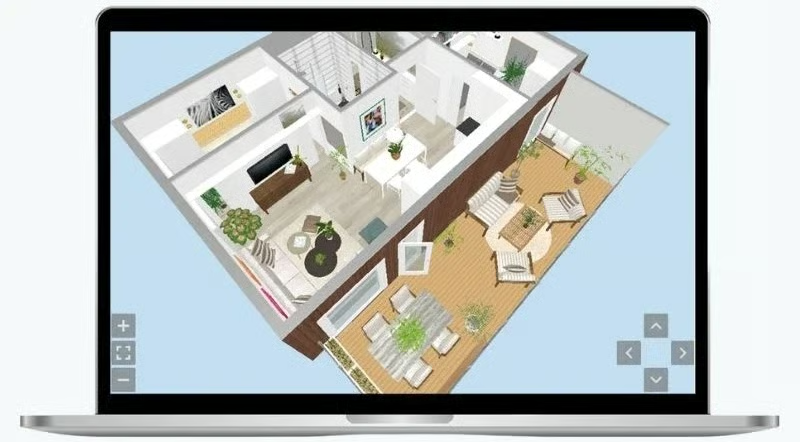
If you want polished floor plans without a ton of fuss, RoomSketcher is a gem. Users can create professional-looking 2D layouts complete with precise measurements, then instantly switch to 3D for a more immersive view — perfect for visualizing renovations before a single wall gets moved. While it’s not full-blown architecture software, it delivers everything most homeowners and contractors need to plan and present a solid remodel.
Sweet Home 3D: Best for budget-conscious or offline users
 | |
|---|---|
Pros
| Cons
|
Sweet Home 3D pricing
- Free: Available as a free desktop download and web version with full design functionality and core furniture library.
- Optional add-ons: Extra furniture, libraries, and plugins can be downloaded for free or installed manually from the Sweet Home 3D website
Why I chose Sweet Home 3D
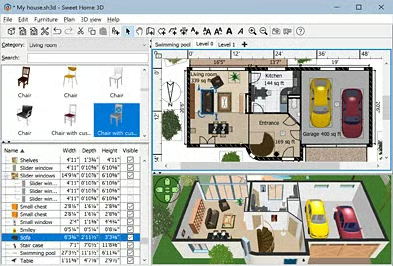
Sweet Home 3D is an excellent solution for budget-conscious users or those needing an offline tool. While the interface may seem pretty basic, the software is very straightforward, and users can customize every detail, from wall angles to furniture sizes. Its side-by-side 2D and 3D views make layout changes easy to visualize in real time. Despite being free and open-source, it still includes export tools and an online version for added flexibility.
Methodology
Whether you’re an agent staging listings or a homeowner planning a renovation, finding the right floor plan software depends on how you plan to use it. When comparing floor plan software, here are the key things to consider:
 Cost vs value: Free tools are great for casual users, but professionals may benefit from subscriptions that unlock higher render quality, enhanced collaboration, or access to export formats that justify the price.
- Design goals: Choose software that suits your project type, whether it’s quick layouts for listings or drag-and-drop room planning for personal use.
- Features: Look for tools that support your needs, such as 2D/3D views, HD exports, AR previews, or branding options. More features aren’t always better if you don’t use them.
- Device compatibility: Some tools are web-based and mobile-friendly, while others are desktop-only. Ensure the software runs where and how you work most effectively.
Frequently asked questions (FAQs)
Can ChatGPT draw floor plans?
Yes. OpenAI has recently introduced tools like GPT FloorPlan Builder, which utilize GPT-4 and image-based tools to assist users in generating visual layouts. You can upload a 2D-floor plan sketch or doodle, describe your preferred style, and the tool will create a 3D model to match.
What is the difference between a floor plan and a 3D home tour?
A floor plan shows the structure and layout of a property from above, while a 3D home tour lets buyers virtually move through the space. Floor plans are better for quickly understanding room flow and dimensions, while 3D tours are better for creating an immersive showing experience. Many agents use both together for stronger listing marketing.
Can floor plan software help sell a vacant home?
Yes, floor plan software can help buyers understand the potential of a vacant home by showing room flow, furniture placement, and possible use cases for each space. This is especially helpful when empty rooms look smaller or harder to visualize in listing photos. A simple 2D or 3D layout can make the home feel more functional online.
Your take
Floor plan software today is more accessible and flexible than ever, offering numerous options to suit every skill level. Hopefully, this guide helped you find a tool that fits your workflow and budget. Have you ever used floor plan software? What’s your favorite tool? Share your experience in the comments!
Related Articles