






































Your rental property should bring in income, not turn your evening into a scavenger hunt for receipts, tenant messages, and missing paperwork. Whether you’re renting out your first property or managing a portfolio of homes, the right software can help you keep everything organized without adding another monthly subscription.
As a real estate agent, I’ve worked with landlords and understand that finding a tenant is only the beginning. Collecting rent, coordinating repairs, and keeping accurate records matter just as much after your tenants move in. I compared five free property management platforms to help you find tools that fit how you manage your rentals, along with the fees and optional upgrades you should know about.
| Provider | Best for |
| Avail | All-in-one tools |
| TurboTenant | Tenant onboarding |
| Apartments.com Rental Manager | Free online rent collection |
| Stessa | Rental accounting |
| Zillow Rental Manager | Rental listing exposure |
Why you can trust The Close
As a real estate agent who has worked with landlords, I understand how much happens between advertising a vacancy and renewing a lease. Clear communication, organized paperwork, and reliable payment records can make that process easier for both owners and tenants.
At The Close, our editorial approach prioritizes accuracy, clarity, objectivity, and practical guidance. For this article, I combined that professional perspective with research into each provider’s current offerings to help you understand where its free tools could fit your rental business.
Sophia Doyle
Staff Writer–The Close
- What does “free property management software” actually mean?
- Free property management software at a glance
- Avail: Best for all-in-one tools
- TurboTenant: Best for tenant onboarding
- Apartments.com Rental Manager: Best for free online rent collection
- Stessa: Best for rental accounting
- Zillow Rental Manager: Best for rental listing exposure
- What to look for when choosing property management software
- Frequently asked questions (FAQs)
- Bringing it all together
What does “free property management software” actually mean?
For this list, “free” means you can use an ongoing software offering without a required subscription. It doesn’t mean every associated service costs nothing. Applicants may pay for screening reports, tenants may incur payment processing fees, and landlords may pay for lease products, faster deposits, or advanced features. For example, Avail’s free plan carries a tenant bank-transfer fee, Apartments.com offers free tenant ACH payments, and Stessa charges separately for lease templates on Essentials. Look at the costs for everyone using the platform before choosing.
Free property management software at a glance
| Provider | Key features | Who it’s best for | Learn more |
| Avail |
| DIY landlords who want connected tools from advertising through tenancy. | Visit Avail |
| TurboTenant |
| Landlords who want to organize inquiries and move applicants toward tenancy. | Visit TurboTenant |
| Apartments.com Rental Manager |
| Landlords who want convenient payments alongside leasing tools. | Visit Apartments.com Rental Manager |
| Stessa |
| Owners who want a clearer picture of rental income and spending. | Visit Stessa |
| Zillow Rental Manager |
| Landlords prioritizing vacancy advertising and applicant management. | Visit Zillow Rental Manager |
Avail: Best for all-in-one tools
Pros:
| Cons:
|
My expert opinion on Avail
Avail is my first recommendation for landlords who want a more organized routine from the moment a property becomes available. When I’ve worked with landlords as an agent, the challenge hasn’t always been finding interested renters. It’s keeping the next steps moving without losing an application, overlooking a message, or scrambling for paperwork. I like the idea of building that routine in one place, especially for owners who are managing rentals alongside another job.
Its appeal also continues after the tenant moves in. A good landlord system should make it easier to respond, document what happened, and pick up where you left off. Avail is a strong starting point. I would start with the free plan, establish a consistent process, and upgrade only when a specific feature saves enough time or improves the tenant experience to justify the cost.
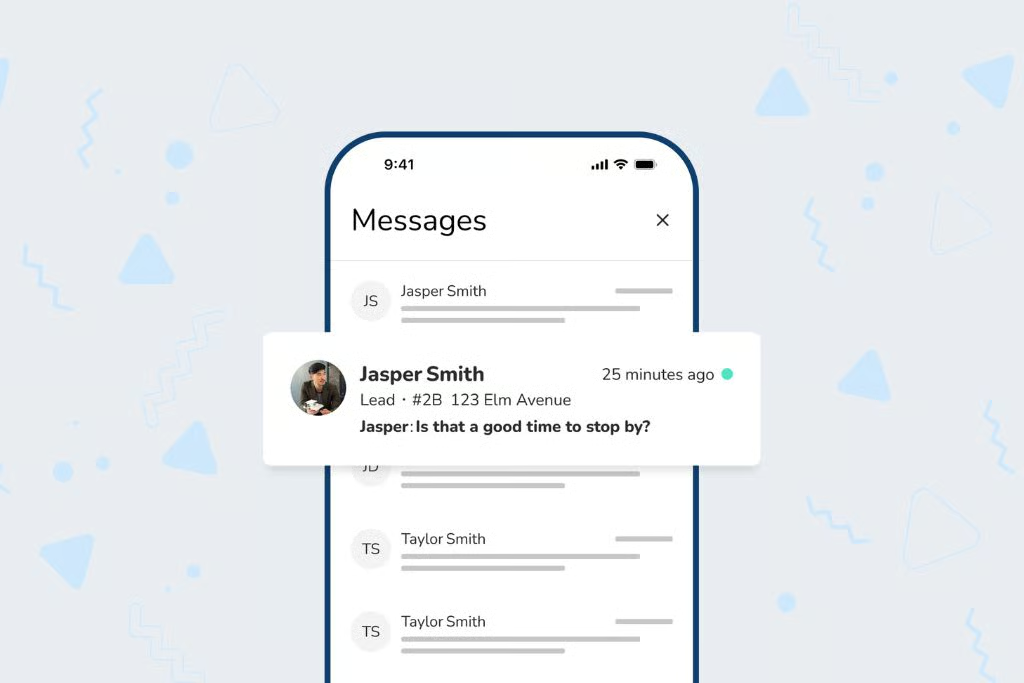
Additional features
- Maintenance records: Keep repair requests, photos, and updates in one place so you can track an issue through resolution.
- Tenant and lead messaging: Manage conversations without searching across unrelated messages.
- Income and expense tracking: Organize the money coming in and going out.
TurboTenant: Best for tenant onboarding
Pros:
| Cons:
|
My expert opinion on TurboTenant
TurboTenant is a good fit for landlords who want the tenant search to feel more manageable. A vacancy can quickly produce a mix of inquiries, showing questions, and applications, and it’s easy to spend more time sorting them than making progress. I appreciate tools that help owners keep track of who has reached out and what needs to happen next. That organization can make you more responsive without keeping you glued to your inbox.
I also like to treat tenant onboarding as the start of the relationship. Clear property information and a documented move-in condition can help everyone start with the same expectations. My advice is to use free tools to build that foundation, then decide whether you need additional leasing or accounting features. You don’t need to buy every available extra to create a professional experience.
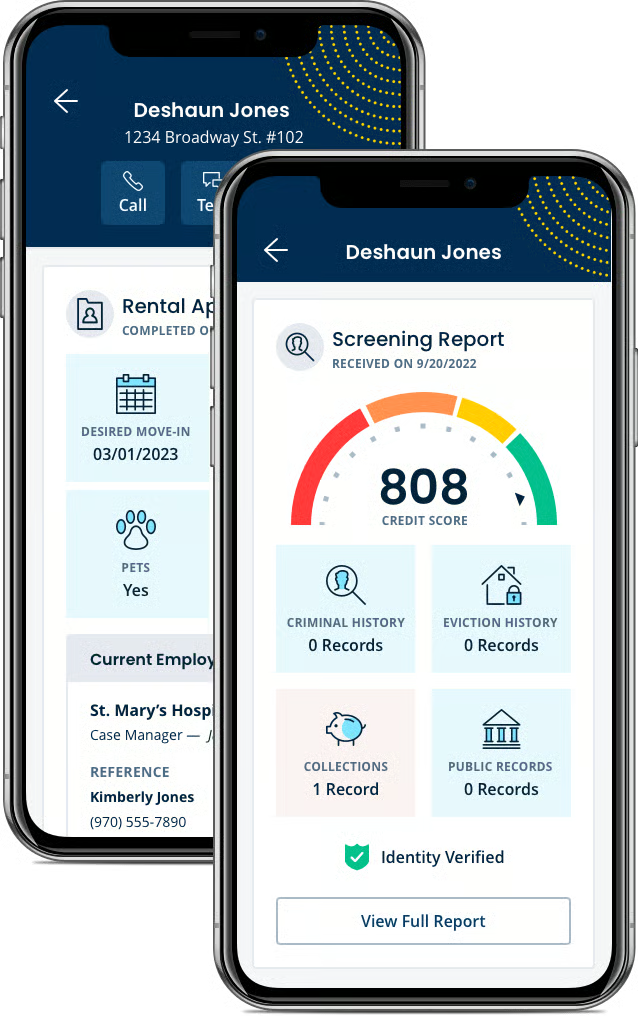
Additional features
- Property condition reports: Record the property’s condition before move-in and after move-out.
- Home Guide: Share useful property information with tenants in one place.
- Online rent collection: Accept payments online; applicable processing fees and deposit timing depend on the plan and payment method.
Apartments.com Rental Manager: Best for free online rent collection
Pros:
| Cons:
|
Visit Apartments.com Rental Manager
My expert opinion on Apartments.com Rental Manager
Apartments.com is a practical choice if your biggest goal is making rent collection easier for everyone involved. I like that tenants can pay by bank transfer without a payment fee, because the tenants’ experience deserves a place in the decision. A system may be free for the owner, but if it adds monthly friction for the renter, it can create questions and extra work you were trying to avoid.
I would also look at its broader tools before treating it only as an advertising platform. Having a consistent process for leases, maintenance, and expenses can help a small landlord operate more professionally. I recommend reviewing the payment setup before rent is due and making sure tenants know what to expect. A little preparation at the beginning can make the monthly routine much smoother.
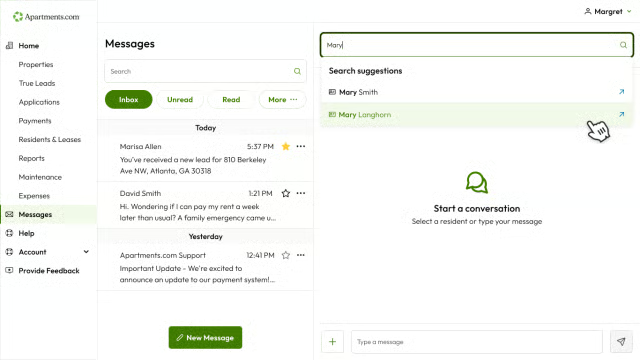
Additional features
- Maintenance conversations: Keep messages and updates attached to n: Add notes, receipts, and repair expenses to maintenance records.
- Expense reporting: Organize property expenses anan open repair request.
- Repaired documentatiod download reports.
Related articles
Mid-term Rentals: The Ultimate Guide for Landlords (2026)
Landlord Insurance for Rental Property: Cost & Coverage
6 Best Tenant Screening Services for Landlords for 2026
The 10 Best States for Landlords
Stessa: Best for rental accounting
Pros:
| Cons:
|
My expert opinion on Stessa
Stessa is the option I would look at if you know rent is coming in but don’t have a clear view of where it goes afterward. Working with landlords has reinforced how important it is to look beyond the monthly rent amount. Repairs, recurring bills, and smaller purchases all affect the property’s performance. I like a system that helps owners keep those details organized throughout the year rather than reconstructing them when they need the numbers.
The real value comes from making financial review a habit. I would set aside a regular time to check transactions, assign them to the correct property, and catch anything missing. Stessa is a strong first choice for owners who want to become more confident with that side of the business. Its broader rental tools are useful, but financial clarity is the reason it's on the shortlist.
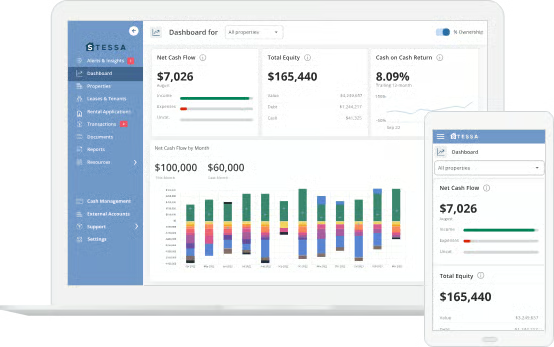
Additional features
- Mobile app: Review transactions and organize expenses while you’re away from your desk.
- Mileage tracking: Record property-related travel alongside other expenses.
- Document and receipt storage: Keep supporting records connected to your rental business.
Zillow Rental Manager: Best for rental listing exposure
Pros:
| Cons:
|
My expert opinion on Zillow Rental Manager
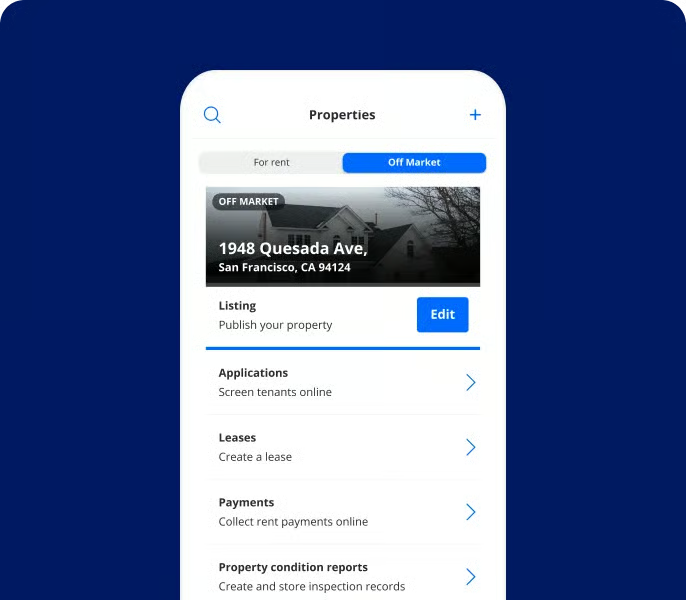
Zillow Rental Manager belongs on this list because getting a vacancy in front of renters is an important part of the job. As an agent, I know a rental needs more than an address and a few photos to attract useful interest. Clear information about the property, availability, and application process helps renters decide whether to take the next step. Zillow gives landlords a convenient place to present that information and manage responses.
I would choose it when advertising and applications are your immediate priorities, then think separately about the records you need after move-in. Documenting rent payments helps, but you’ll also want an organized way to track repairs and other spending. My advice is to build your workflow around the full tenancy, even if you use Zillow primarily to help find the next renter.
Additional features
- Rental Manager mobile app: Access landlord tools from your phone.
- Zillow 3D Home Tours: Add a virtual tour to help renters understand the property before visiting.
- Reusable renter applications: Applicants can use their paid application service at participating properties for 30 days.
What to look for when choosing property management software
Start with the work you want to simplify
Think about what currently takes the most time. Is it sorting applications, reminding tenants about rent, coordinating repairs, or tracking spending? Choose software that addresses that problem first. A long feature list is less useful than a tool you’ll use consistently.
Check what the free plan includes
Look beyond the word “free” and walk through a normal rental cycle. Can you advertise, accept applications, prepare documents, collect payments, and track repairs without upgrading? If one step requires payment, decide whether the service is worth the cost.
Consider your tenants’ experience
Your tenants will use parts of the software, too. Check how they pay rent, submit requests, and access documents. Explain any fees before asking them to enroll, and provide clear instructions so the transition feels straightforward.
Understand payment timing
Submitting a payment is different from money arriving in your account. Review processing times, weekends, and any faster-deposit options before relying on the software for a time-sensitive bill.
Match financial tools to your needs
Basic expense tracking may be enough for one rental. If you want a clearer view across several properties, automatic transaction imports and reporting may matter more. Consider what information you need to review yourself and share with your accountant.
Look at support and access to your records
Find out how you contact support and whether the free plan limits those options. Also check how to download documents and financial information. You should know how to retrieve your records before you need them.
Frequently asked questions (FAQs)
What is the best free property management software for a new landlord?
Avail is my starting recommendation for a new DIY landlord who wants connected tools for several stages of renting. However, the best fit depends on what you need help with first. If you’re comfortable handling leases but struggle to organize financial records, your priorities may look different from someone preparing their first vacancy.
Is free property management software really free?
The software may be free, but associated services may carry fees. Common examples include screening reports, certain payment methods, lease products, and optional upgrades. Review both landlord and tenant costs to understand the total experience, not just the subscription price.
When should I upgrade from a free plan?
Upgrade when a specific limitation creates work or when a paid feature offers a clear benefit. For some landlords, faster deposits, more detailed reports, or reusable documents may justify the expense. Start with the problem you’re trying to solve, then compare the upgrade cost with the time or inconvenience it would save.
Bringing it all together
The best free property management software gives you a routine you can rely on. Avail is a strong starting point for landlords who want connected tools throughout the rental process, while the other options offer useful strengths in advertising, payments, tenant onboarding, and financial organization. Start with the tasks that cause the most frustration, check the costs for you and your tenants, and choose a system you’ll keep using after you fill the vacancy. An organized rental business lets you spend less time chasing information and more time caring for your property.
You may also like…
https://theclose.com/avail-reviews/
https://theclose.com/zillow-rental-manager-vs-avail/
https://theclose.com/best-online-rent-payment-services/
https://theclose.com/best-real-estate-software-for-investors/