





































The list of things to do as a real estate agent is seemingly never-ending, but that’s where a fantastic customer relationship manager (CRM) comes into play. The best real estate CRM software makes your life easier with features like task reminders, marketing automations, lead scoring, and AI-powered tools to help you more easily and efficiently manage your portfolio of clients from start to finish.
If you’re short on time and can’t research which ones are best for you, don’t worry — I’ve done the hard work for you. I’ve researched over a dozen different CRMs and narrowed it down to the following five picks:
| CRMs | Best for | Agent types |
|---|---|---|
| ClickUp | Task management |
|
| EngageBay | Marketing tools |
|
| Zoho CRM | Customization |
|
| Bitrix24 | Team collaboration |
|
| HubSpot CRM | Content management |
|
Why you can trust The Close
As a real estate agent, I have used and evaluated a variety of CRM platforms, giving me firsthand insight into how these tools can support lead management, follow-up, and day-to-day operations. I understand what it takes to turn leads into closings, and what features a CRM can offer to make this transition easier.
For this guide, I combined my experience with in-depth research to evaluate the top free CRM platforms. At The Close, our editorial approach is rooted in delivering accurate, unbiased, and practical insights, so you can confidently choose the tools that best fit your business.
Sophia Doyle
Staff Writer-The Close
My top picks for the best free real estate CRM
| |||
| |||
| |||
| |||
| |||
ClickUp: Best for task management
Why I chose ClickUp
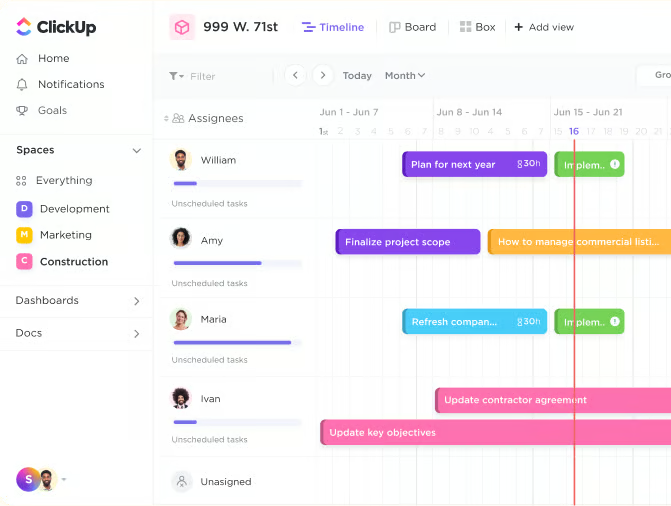
ClickUp takes the top spot because it gives agents a flexible free workplace for organizing leads, clients, tasks, showings, listings, documents, and transaction workflows. I use ClickUp, and one of its biggest strengths is how customizable it is. You can build a system around the way you actually work, instead of forcing your business into a rigid CRM layout.
ClickUp offers a Free Forever Workspace, and its real estate agents CRM template is designed to help agents track leads and prospects, manage client interactions, schedule property showings and open houses, and maintain a central database of listings. That makes it especially helpful for agents who want to combine CRM-style lead tracking with daily task management, transaction checklists, documents, and team collaboration.
Additional features
- Real estate agents CRM template: Track leads, prospects, client interactions, showings, open houses, and listings in one workspace.
- List, board, calendar, and table views: Organize leads, tasks, deals, and transaction steps in the view that best fits your workflow.
- ClickUp docs: Store notes, SOPs, checklists, buyer consultation details, seller prep lists, and internal resources.
EngageBay: Best for marketing tools
Why I chose EngageBay
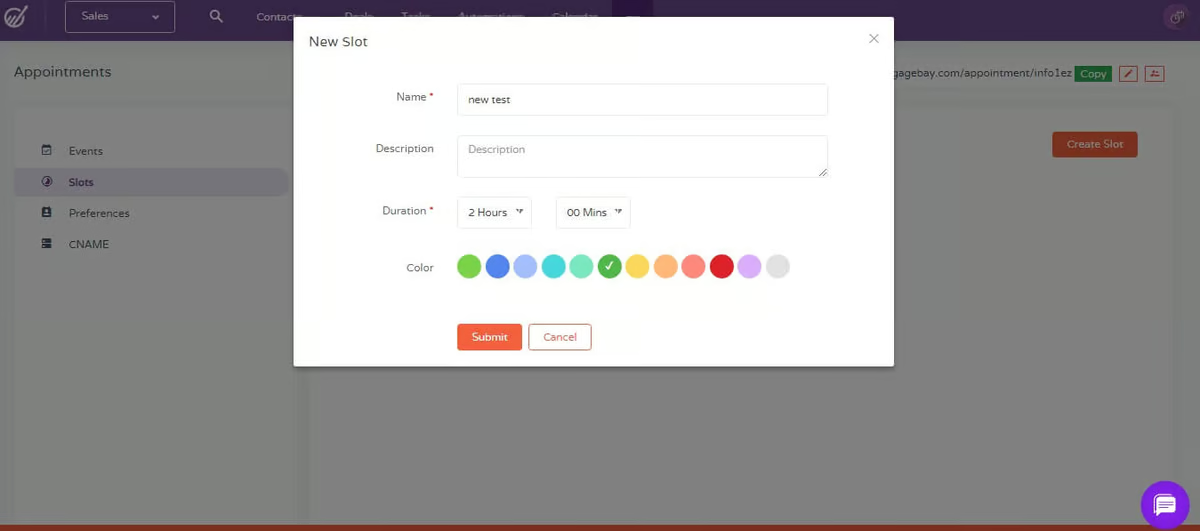
EngageBay is a strong choice for agents who want more than a place to store contacts. It brings CRM, marketing, appointment scheduling, live chat, forms, and landing pages into a single platform, making it especially useful for agents trying to build a simple lead-generation and follow-up system without stitching together five different tools.
What I like about EngageBay is that it feels like it was built for agents who want to stay visible and responsive. You can capture leads, organize conversations, schedule appointments, manage deals, and use templates to keep follow-up moving. For newer agents or small teams, that combination can make the free plan feel like a lightweight marketing hub, not just a basic CRM.
Additional features
- Appointment scheduler: Let leads, prospects, and clients book time with you without the back-and-forth. This is especially helpful for buyer consultations, listing appointments, follow-up calls, and check-ins.
- Landing pages: Create simple landing pages to capture leads from campaigns, social posts, ads, or open house promotions.
- Live chat: Add chat to your website so visitors can ask questions, start conversations, and move into your CRM without waiting for an email reply.
Zoho CRM: Best for customization
Why I chose Zoho CRM
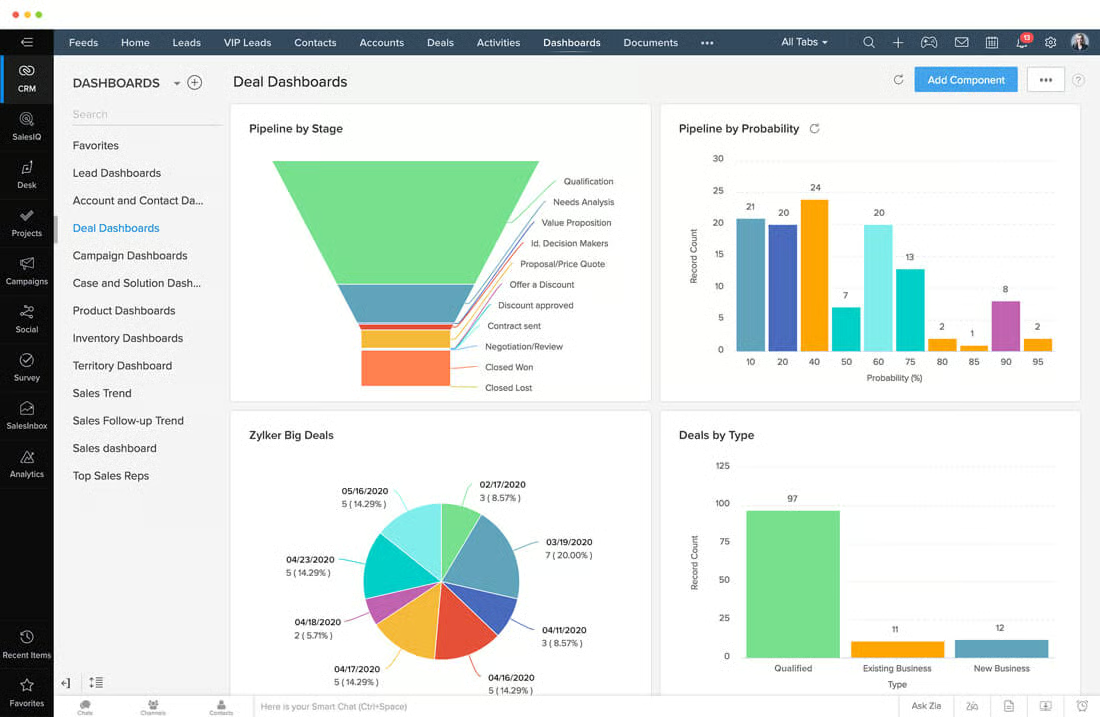
Zoho CRM is a great pick for agents who want a traditional CRM they can shape around their business. It gives you the core building blocks, including leads, contacts, deals, tasks, webforms, and mobile access, then lets you organize them in a way that makes sense for your workflow. For agents who like structure, this can be a great fit. You can build a pipeline for buyers, sellers, referrals, investors, or whatever part of your business needs the most attention.
What makes Zoho stand out is its customization potential. It is not a real estate-specific CRM out of the box, so you will need to do some setup, but that can actually be a plus for agents who want more control. Instead of working inside a system built for one narrow use case, you can create your own deal stages, views, fields, and follow-up process. It may take a little more patience upfront, but once it is organized, Zoho can become a clean, reliable hub for managing relationships and opportunities.
Additional features
- Webforms: Capture website leads and send them directly into your CRM for buyer inquiries, seller consultations, newsletter sign-ups, and contact forms.
- Deal tracking: Organize buyer, seller referral, and investor opportunities through deal records and pipeline stages.
- Email templates: Save reusable messages for lead follow-up, appointment confirmations, referral outreach, and client check-ins.
Bitrix24: Best for team collaboration
Why I chose Bitrix24
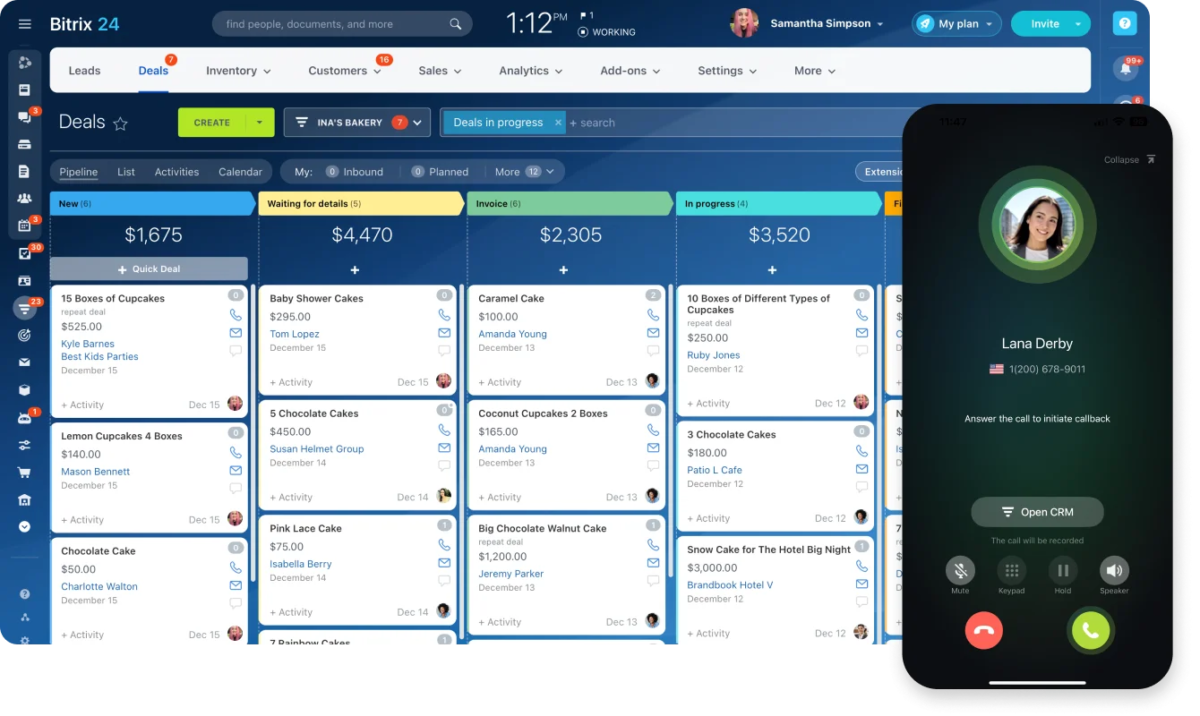
Bitrix is great for agents and teams who want a CRM and collaboration hub in one place. Instead of only tracking contacts and deals, Bitrix24 gives you tools for tasks, calendars, chat, video calls, documents, landing pages, and team communication. That makes it especially useful for agents who work with an assistant, partner, transaction coordinator, or small team and need everyone to see what is happening.
What makes Bitrix24 stand out is how much it packs into one free platform. You can track contacts, manage deals, assign tasks, store documents, build basic web pages, and communicate with your team without jumping between multiple apps. The trade-off is that it is not the simplest CRM on this list. There is a lot to explore, so it may take more setup time, but for agents who want a single place for collaboration and client tracking, Bitrix24 offers significant value.
Additional features
- Team chat and video calls: Communicate with assistant, team members, or transaction support without leaving the platform.
- Landing pages: Build simple web pages or lead capture pages for campaigns, listings, open houses, or online inquiries.
- CRM deal pipeline: Track buyers, sellers, referrals, and active opportunities across deal stages to see where each lead or client stands.
HubSpot: Best for content management
Why I chose HubSpot
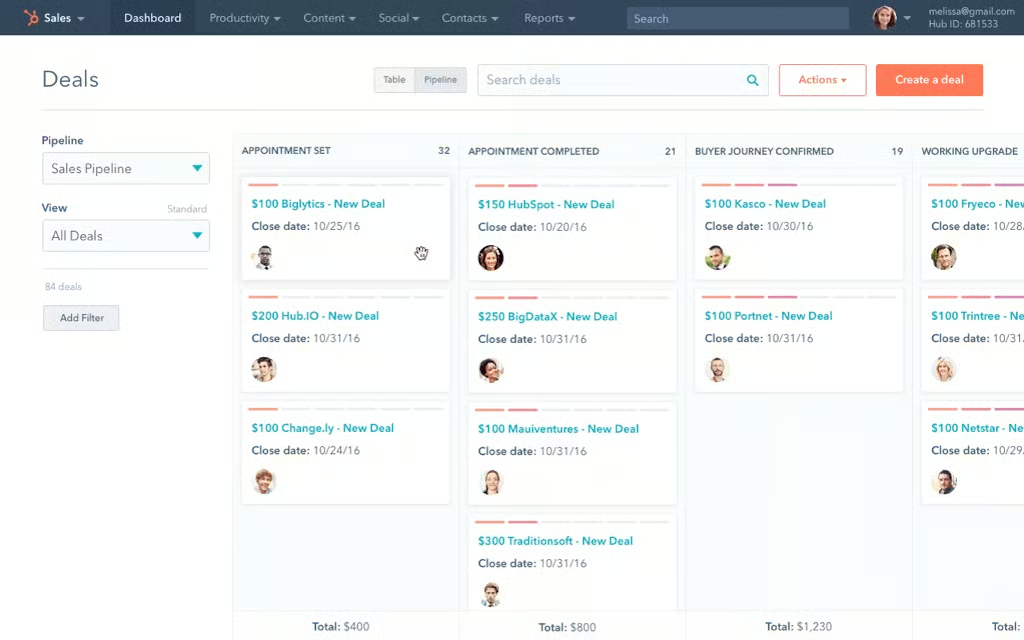
HubSpot CRM is a good fit for agents who want a content-friendly way to capture, organize, and follow up with online leads. It is not built specifically for real estate, but it provides agents with useful tools to convert website visitors, landing page traffic, form submissions, and live chat conversations into contacts they can manage in a CRM.
What makes HubSpot helpful is how it connects content activity to lead follow-up. Agents can use forms, landing pages, email templates, meeting links, live chat, and a deal pipeline to organize interest from blogs, neighborhood guides, buyer resources, seller lead magnets, and email campaigns. That said, reviews often note that HubSpot can take more technical skill to set up and operate than other options.
Additional features
- Email templates: Save reusable messages for new leads, content downloads, open house follow-up, buyer check-ins, seller updates, and long-term nurture campaigns.
- Landing pages: Create simple lead capture pages for guides, market reports, home valuation offers, or campaign traffic.
- Live chat: Add chat to your website so visitors can start a conversation and move into your CRM.
Methodology
Below are the key criteria we evaluated for the best free CRM for realtors:
- Pricing (30%):
- I prioritized CRMs that offer robust features in their free plans, providing excellent value without hidden costs.
- Features (20%):
- I assessed the essential features available, such as contact management, mobile application, and website integration, to ensure they meet the core needs of real estate agents.
- Additional Features (20%):
- I looked at additional features such as customizable reports, AI capabilities, and team collaboration that add significant value to the CRM.
- Ease of Use (10%):
- Technical skills required to set up and operate the platform were taken into consideration
- Help and Support (5%):
- The availability and format of customer support were reviewed to ensure agents can get assistance when needed.
- Customer Rating (5%):
- I considered user feedback and ratings to gauge overall satisfaction and real-world performance.
- Expert Score (10%):
- I evaluated any standout features not covered in the above categories based on my experience as a real estate agent.
Read more about the methodology here.
Frequently asked questions (FAQs)
Why should real estate agents use a CRM?
A CRM helps real estate agents keep leads, clients, follow-ups, notes, tasks, and deal activity organized in one place. Instead of relying on memory, spreadsheets, texts, and inbox searches, agents can use a CRM to see who needs a follow-up, where each client is in the pipeline, and what conversations have already happened.
How do I organize buyer leads in a CRM?
For buyer leads, track budget, preferred location, timeline, financing status, must-have features, deal breakers, showing history, lender information, and next follow-up date. This helps you quickly understand what each buyer wants and where they are in the process.
How do I organize seller leads in a CRM?
For seller leads, track property address, estimated home value, desired list date, motivation, pricing expectations, home prep needs, last conversation, and next follow-up date. This makes it easier to nurture sellers who are not ready to list immediately.
What is the most common CRM mistake real estate agents make?
The most common mistake is adding contacts but not creating a follow-up system. A CRM is only useful if it helps you take action. Every important contact should have a next step, whether that is a call, email, text, market update, appointment, or long-term nurture plan.
Your take
Free real estate CRMs can significantly aid agents in managing contacts and deals while automating marketing efforts at no cost. Using a free CRM can enhance productivity and client management. However, as your business expands, it’s important to consider upgrading to paid plans. While free options offer useful features, they may limit growth and capabilities. Upgrading unlocks advanced tools and scalability for long-term success.
You may also like…